Acha, suno! (Listen up!) Your blog was doing great last month. You were getting decent traffic, a few Google rankings for your target keywords, and life was good. Phir suddenly? (Then suddenly?) Your rankings dropped like a stone. Blog traffic? Halved! Google impressions? Gone!
The worst part? You have no idea what kills blog rankings or why your carefully written blog posts just disappeared from Google search results.
I’ve been there. I’ve watched countless bloggers struggle with this exact problem. The good news? What hurts blog rankings is usually preventable. Most blogs lose rankings not because Google is unfair, but because bloggers make predictable, fixable mistakes.
In this guide, I’m going to show you exactly what causes blog rankings to drop and more importantly, how to fix it before your traffic becomes a ghost story.
What Is Blog Ranking & Why Does It Matter?
Before we discuss what kills blog rankings, let’s get our basics straight.
Blog ranking means your article appears on Google’s search results when someone searches for a specific keyword. If your article ranks #1, you get the most traffic. Rank #5? Still decent. Rank #50? Nobody’s finding you.
Why does this matter?
Simple math:
- Top 3 results get 54% of all clicks
- Results 4-10 get 20% of clicks
- Page 2 gets just 6% of clicks
So when your rankings drop, your traffic doesn’t just decrease slightly. It crashes. This is why understanding what causes Google rankings to drop is literally a matter of survival for your blog.
Part 1: Technical SEO Mistakes That Kill Rankings
1. Poor Site Speed & Core Web Vitals Issues
Here’s what nobody tells beginners: Google doesn’t just care about your content quality. Google is obsessed with user experience.
What hurts blog rankings? A slow website. If your blog takes 4 seconds to load, you’re already losing traffic.
Why?
- 53% of users leave websites that take more than 3 seconds to load
- Google uses page speed as a ranking factor (Core Web Vitals)
- Slow sites get lower click-through rates
The mistake: Most bloggers ignore their Core Web Vitals scores until rankings drop.
How to fix it:
- Check your Core Web Vitals in Google Search Console
- Enable caching (LiteSpeed Cache for WordPress)
- Compress images using tools like TinyPNG or Imagify
- Use a Content Delivery Network (CDN)
- Minimize CSS and JavaScript
Pro tip: Your homepage should load in under 2 seconds. If it doesn’t, fix it NOW before it kills your rankings further.
2. Mobile Non-Responsiveness
Look at your phone right now. Scroll through a few websites. If text is tiny, images are broken, buttons are unclickable—that’s a non-responsive website.
What causes Google rankings to drop? Mobile compatibility issues. Google uses mobile-first indexing, which means Google crawls your mobile version FIRST.
The brutal truth: If your blog looks broken on mobile, Google thinks your entire site is broken.
Quick check:
- Go to Google Search Console
- Click “Mobile Usability” report
- If you see errors, your rankings are already suffering
How to fix it:
- Use a mobile-responsive theme (Kadence is excellent for this)
- Test your blog on different devices and screen sizes
- Use Google’s Mobile-Friendly Test tool
- Ensure buttons and forms work on mobile
3. Broken Links & 404 Errors
Imagine your blog post links to another article on your site, but that article got deleted. The visitor clicks, gets a “404 – Page Not Found” error, and leaves frustrated.
What kills blog rankings? Broken internal links tell Google your site is poorly maintained.
The problem: When Google crawls your site and finds too many broken links, it thinks:
- Your site is unreliable
- You don’t maintain your content
- User experience is poor
How to find broken links:
- Install a plugin like Broken Link Checker
- Check Google Search Console for crawl errors
- Review internal links in old blog posts
How to fix it:
- Redirect broken links to relevant pages
- Update old blog posts with new links
- Delete or consolidate outdated content
- Test links before publishing
4. Missing or Incorrect XML Sitemap
Your XML sitemap is like a roadmap for Google. It tells Google exactly what pages exist on your site and when they were last updated.
Why is this important? Without a proper sitemap, Google might miss some of your articles entirely. Missed articles = no rankings.
Common mistakes:
- Sitemap not submitted to Google Search Console
- Sitemap contains non-existent URLs
- Sitemap isn’t being updated when you publish new posts
How to fix it:
- Use Rank Math to auto-generate your XML sitemap
- Submit it to Google Search Console
- Verify it’s being updated weekly
5. Poor URL Structure
Look at your current URLs:
Bad: marketingwitharavind.com/?p=12834 Good: marketingwitharavind.com/what-kills-blog-rankings/
What hurts blog rankings? Ugly, non-descriptive URLs. Users can’t tell what your article is about just by looking at the URL.
The impact:
- Users are less likely to click URLs without keywords
- Google has a harder time understanding the page topic
- URLs aren’t shareable/memorable
How to fix it:
- Go to WordPress Settings → Permalinks
- Choose “Post name” structure
- Edit URL slugs to include your focus keyword
- Keep URLs short (3-5 words maximum)
Part 2: Content Mistakes That Kill Rankings
6. Thin Content & Lack of Depth
What causes blog rankings to drop the most? Thin, shallow content.
Here’s the rule: If your blog post is under 1,500 words, you’re probably not going deep enough to answer user questions completely.
Why?
- Users searching for “what kills blog rankings” want comprehensive answers
- Thin content ranks for short tail keywords only
- Google prefers content that thoroughly covers the topic
Common thin content mistakes:
- Writing 500-800 word “blog posts”
- Covering only surface-level information
- Not including examples or case studies
- Missing FAQs
The fix:
- Write comprehensive guides (2,500-3,500 words)
- Answer every question a user might have
- Include real examples and case studies
- Add visual elements (images, charts, tables)
- Include a detailed FAQ section
7. Ignoring Search Intent
Here’s a mistake that KILLS rankings overnight:
You write an article about “best email marketing tools” (product comparison, commercial intent). But you optimize it for the search “how to use email marketing” (informational intent, learning-focused).
Result? Users find your article, realize it’s not what they want, bounce back to Google. High bounce rate = Google lowers your ranking.
The 4 types of search intent:
- Informational: “What kills blog rankings” (educational)
- Navigational: “Google Search Console login” (finding a specific place)
- Commercial: “Best email marketing tool” (comparing products)
- Transactional: “Buy SEO course” (ready to buy/sign up)
How to match search intent:
- Search your keyword on Google
- Look at the top 3 results
- Understand what type of content Google is showing
- Create similar content with better information
8. Keyword Stuffing
“What kills blog rankings? Keyword stuffing! Keyword stuffing kills blog rankings because keyword stuffing is bad for blog rankings!”
Sounds stupid, right? That’s because it IS stupid. And Google penalizes it.
Why Google hates keyword stuffing:
- It makes content unreadable
- Users bounce immediately
- It’s clearly manipulation
- Modern Google uses AI to detect unnatural language
The correct approach:
- Use your focus keyword naturally, 1-2 times per 500 words
- Use semantic variations naturally
- Write for humans FIRST, Google second
- Use LSI keywords and synonyms
Example:
- Focus: “what kills blog rankings”
- Variations: “what hurts blog rankings,” “why blog rankings drop,” “common ranking mistakes”
9. Missing H1 Tags & Poor Heading Structure
Your blog post structure matters. A LOT.
Poor structure:
What Kills Blog Rankings
Why your blog loses rankings
The number 1 reason rankings drop
Another reason your rankings dropped
Good structure:
H1: What Kills Blog Rankings?
  H2: Part 1: Technical SEO Mistakes
    H3: Poor Site Speed
    H3: Mobile Non-Responsiveness
  H2: Part 2: Content Mistakes
    H3: Thin Content
Why this matters:
- Google reads your content top-to-bottom using headers
- Clear hierarchy helps Google understand your content structure
- Users scan with headers (you know this)
- Improves readability and SEO
The rule:
- ONE H1 per page (your main title)
- Logical flow with H2s and H3s
- Headers should contain keywords naturally
10. Duplicate Content Issues
What kills blog rankings faster than anything? Duplicate content.
Types of duplicate content that hurt rankings:
- Exact copies: Same article published on multiple URLs
- Similar versions: Multiple versions of the same content
- Across domains: Same article on your blog AND Medium
- Session IDs:
?sessionid=12345creates duplicate versions
Example that hurts rankings:
- You publish:
marketingwitharavind.com/what-kills-blog-rankings - But same content is accessible at:
marketingwitharavind.com/?p=12834 - Google thinks you’re cheating, ranks neither
How to fix it:
- Set a preferred domain in Google Search Console
- Use canonical tags (Rank Math handles this)
- Redirect duplicate versions to main version
- Don’t republish the exact same content multiple places
- If publishing on Medium, add canonical tag pointing to your blog
Part 3: Link Building Mistakes That Hurt Rankings
11. Weak Internal Linking Strategy
Internal links are free ranking power. Most bloggers ignore them.
What this means: You write 10 blog posts, but they’re not linked to each other. Each article is an island. Google can’t see the relationship between your content.
Result? Your authority gets scattered instead of concentrated.
The fix:
- When you write “email marketing basics,” link to “how to build email list”
- Create linking clusters around pillar topics
- Use descriptive anchor text (not “click here”)
- Link to 3-5 relevant internal articles per post
- Update old articles with links to new ones
Example anchor text:
- ❌ Bad: “For more information, read this”
- ✅ Good: “Learn the complete digital marketing guide for beginners”
12. Ignoring Backlink Quality
What causes Google rankings to drop permanently? Bad backlinks.
Here’s the mistake: You get excited because someone linked to your site. You don’t care WHO linked to you or what their site is about.
The problem: If a link comes from a spammy, low-quality, or irrelevant site, it doesn’t help. It might hurt.
How to identify bad backlinks:
- Check Google Search Console → Links section
- Use tools like Ahrefs or SEMrush
- Look for: Low domain authority, spammy content, unrelated niche
What to do about bad backlinks:
- Use Google’s Disavow Tool to tell Google to ignore them
- Contact spammy sites and ask for link removal (formal request)
- Focus on getting quality backlinks from relevant blogs
13. No Guest Posting Strategy
What kills blog rankings for new blogs? Lack of backlinks.
If you’re brand new, Google doesn’t know who you are. You need external validation. That comes from other websites linking to you.
The fix:
- Find relevant blogs in your niche
- Pitch them quality guest post ideas
- Include 1-2 links back to your blog in author bio
- Guest posting on Medium also creates backlinks
- Reach out to other bloggers for link exchanges (relevant topics only)
Part 4: User Engagement Mistakes
14. High Bounce Rate
What causes Google rankings to drop over time? Users leaving immediately (bounce rate).
Google tracks how long users stay on your page. If people arrive and immediately go back to Google, that’s a bounce. Too many bounces = Google thinks your content doesn’t satisfy the search intent.
Why this happens:
- Misleading title or meta description
- Article doesn’t match search intent
- Poor formatting makes it hard to read
- Slow loading time
- Ads are too aggressive
How to fix it:
- Make sure title matches content exactly
- Format content with short paragraphs (2-3 sentences max)
- Use bullet points and lists
- Include relevant images
- Add a table of contents for navigation
- Keep ads minimal above the fold
15. Missing or Poor Call-to-Action
What kills blog rankings indirectly? Not giving users a reason to stay on your site.
If users read your article and leave without engaging further, Google thinks “this person didn’t find what they needed.”
The fix:
- Add email signup forms (Newsletter CTA)
- Include related articles at the end
- Add social sharing buttons
- Include your free resource link (Free Digital Marketing Roadmap)
- Add FAQ section to answer common questions
How SEO Mistakes Compound: Why Rankings Drop Faster Than You Think
Here’s what most bloggers don’t understand:
One mistake? Might not kill your ranking.
Two mistakes? Still okay, probably.
Three or more mistakes? This is where SEO collapses. Mistakes compound.
Example scenario:
- You have poor internal linking (Mistake #11) ✗
- Your site is slow (Mistake #1) ✗
- Content is thin (Mistake #6) ✗
- You’re ignoring search intent (Mistake #7) ✗
Result? Your ranking drops from #3 to #15 in one month. Then #30. Then off page 1 entirely.
By the time you notice, it’s almost too late.
The Complete Checklist: Stop Killing Your Blog Rankings
Before you publish your next article, go through this checklist:
Technical SEO:
- Page loads in under 2 seconds
- Mobile-friendly on all devices
- No broken links
- XML sitemap submitted
- URLs contain focus keyword
- No duplicate content
Content Quality:
- 2,500+ words (for competitive keywords)
- Matches search intent completely
- Natural keyword density (1-2%)
- Proper heading structure (H1, H2, H3)
- Includes images with alt text
- FAQ section included
Links:
- 3-5 internal links with anchor text
- No links to spammy sites
- Canonical tag set correctly (if needed)
- Open Graph tags for social sharing
User Engagement:
- Engaging meta description
- Accurate, clickable title
- Short paragraphs
- Clear formatting
- Email signup CTA
- Related articles linked
Common Questions About What Kills Blog Rankings
How long does it take for ranking changes to show in Google?
Usually 4-8 weeks. If you fix an issue, don’t expect immediate ranking recovery. Google needs time to re-crawl, re-index, and re-evaluate your content.
Will one mistake kill all my rankings?
Unlikely, unless it’s severe (like your entire site getting hacked). Usually mistakes compound over time.
How do I know which mistake is hurting MY blog specifically?
Use Google Search Console. Look at:
Click-through rate (if low, fix title/description)
Average position (if dropping, check technical SEO)
Core Web Vitals (if failing, fix site speed)
Do I need to fix all 15 mistakes at once?
No. Start with the most impactful:
Site speed
Mobile responsiveness
Content quality
Search intent matching
What’s the fastest way to recover lost rankings?
Create a comprehensive, high-quality article that covers your topic 10x better than the current top 3 results. Link to it from multiple internal locations.
Should I delete old low-ranking articles?
Not immediately. Instead, update them with new information, improve technical SEO, and add internal links. Deletion means losing all Google trust built up.
Is Google AdSense affected by ranking drops?
Yes. Lower rankings = lower traffic = lower AdSense earnings. Fix rankings first.
What To Do Right Now
Stop reading. Start fixing.
- Go to Google Search Console → Performance
- Are your top pages clicking well? If CTR is below 2%, your title/description needs work.
- Check your Core Web Vitals → Are they good, need improvement, or failing?
- If failing: Your rankings will drop soon. Fix immediately.
- Read your top article → Is it better than what’s ranking in top 3?
- If not: You know what to do.
- Find one broken link → Fix it.
- Update one old article → Add new information + internal links.
Start small. Fix one mistake. Watch rankings improve. Then fix the next.
Conclusion: You Now Know What Kills Blog Rankings
You came here asking “what kills blog rankings?“
Now you know it’s not one thing. It’s a combination of technical mistakes, content mistakes, link mistakes, and user engagement mistakes.
The good news? Every single one of these is fixable.
The even better news? Most bloggers don’t fix them. This means your competition has probably made these mistakes. If you fix them, you’ll rank higher.
Here’s your mission:
- Audit your blog today
- Pick the top 3 mistakes you’re making
- Fix them this week
- Watch your rankings improve over the next 2 months
Your blog doesn’t have to be another casualty of bad SEO. You now have the knowledge to build a blog that ranks for years.
Want a free roadmap to build your digital marketing blog from zero to profitable?
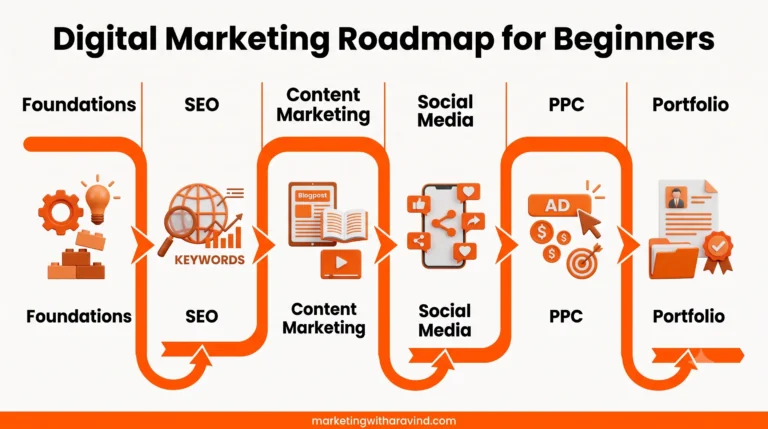
Check out my Digital Marketing Roadmap for Beginners — completely free, no email required.