Generative engine optimization (GEO) is the practice of making your content easy for AI search tools such as Google AI Overviews, AI Mode, ChatGPT and Perplexity to find, trust and cite in their answers. The good news for beginners: GEO is not a brand-new skill. It is classic SEO plus a few habits that make your pages easier for AI to quote. In this guide you will learn exactly what GEO is, how it differs from SEO, and 9 proven steps to start getting your blog cited by AI in 2026.
If you have been wondering whether all this AI talk means SEO is dying, this post is the practical follow-up: what to actually do about it.
What Is Generative Engine Optimization (GEO)?
When someone asks Google, ChatGPT or Perplexity a question today, they often get a written answer instead of ten blue links. That answer is generated by a large language model, and it usually includes a few small links to the websites it used. Those links are called citations.
Generative engine optimization is everything you do to increase the chance that your page is one of those citations, and that AI describes your brand accurately. You may also see it called:
- AEO (answer engine optimization)
- AI SEO or AI search optimization
- LLM optimization (LLMO)
They all describe the same goal: be the source AI trusts and quotes.
Does Google Say You Need a Separate GEO Strategy?
No, and this is the most important thing a beginner should know. On May 15, 2026, Google published its official guide, Optimizing your website for generative AI features on Google Search. Its message is clear: AI Overviews and AI Mode use Google’s core ranking and quality systems, so AEO and GEO are simply SEO for AI search experiences.
In other words, if your SEO foundations are weak, no “GEO hack” will get you into AI answers. If your SEO is strong, you are already most of the way there.
GEO vs SEO: What Is the Difference?
Think of GEO as a layer that sits on top of SEO. Here is a quick side-by-side comparison:
| Factor | Traditional SEO | Generative Engine Optimization (GEO) |
|---|---|---|
| Main goal | Rank in the top 10 results | Get cited or mentioned inside AI answers |
| Where you appear | Google and Bing results pages | AI Overviews, AI Mode, ChatGPT, Perplexity, Gemini, Copilot |
| Unit of success | A click to your page | A citation, a brand mention, then a click |
| What content wins | Relevant, helpful pages that match search intent | The same, plus clear, quotable answers and original facts |
| Key metric | Rankings, clicks, CTR | Citations, AI referral traffic, brand mentions |
| Off-site signals | Backlinks | Backlinks plus mentions on Reddit, YouTube, reviews and news |
How Do AI Search Engines Choose Which Pages to Cite?
Most AI search tools work in three simple stages:
- Rewrite the question. The AI turns your prompt into one or more search queries. These are often called “fan-out” queries.
- Retrieve candidate pages. It pulls a pool of pages from a search index, much like a normal search engine.
- Pick and cite. It reads the candidates and cites only the pages it actually used to write the answer.
Two findings from recent research make this concrete. An Ahrefs study of 1.4 million ChatGPT prompts found that 88% of the URLs ChatGPT cites come straight from its general search results. And a study reported by Search Engine Land found that roughly 30 domains capture 67% of citations within a topic, that longer, in-depth pages earn more citations, and that ChatGPT quotes heavily from the upper part of a page.
The lesson for beginners: you must rank to be cited, and the top of your article matters more than ever.
9 Proven Steps to Get Your Content Cited by AI Search
Step 1: Fix the SEO Basics First
AI can’t cite a page it can’t crawl, index or quote. Before anything else, check that:
- Your page is indexed in Google Search Console (use the URL Inspection tool).
- Your site loads fast and works well on mobile. Our technical SEO guide covers this step by step.
- You are not using
nosnippetormax-snippet:0tags, which stop Google from showing your text in AI Overviews. - Your
robots.txtdoes not block the crawlers you want citations from: Googlebot, Bingbot (powers Copilot and helps many AI tools), OAI-SearchBot (ChatGPT search) and PerplexityBot.
Step 2: Answer the Main Question in the First 2–3 Sentences
Because AI tools quote heavily from the top of a page, put a clear, direct answer right under your title or the first H2. Aim for a 40–60 word definition or answer that makes sense even if it is copied on its own. Then expand with details, examples and steps below it.
Weak opening: “In today’s fast-changing digital world, many people wonder about…”
Strong opening: “Email open rate is the percentage of delivered emails that recipients open. A good open rate for most industries is between 30% and 40%.”
Step 3: Use Question-Style Headings and a Clean Structure
Google’s guide specifically recommends clear paragraphs, sections and headings. Write H2s and H3s that match how real people ask questions, for example “How much does Google Ads cost?” instead of “Pricing.” Then use:
- Short paragraphs (2–4 sentences)
- Numbered lists for steps and bullet lists for features
- Tables for comparisons (AI loves extracting from tables)
- A short FAQ section at the end
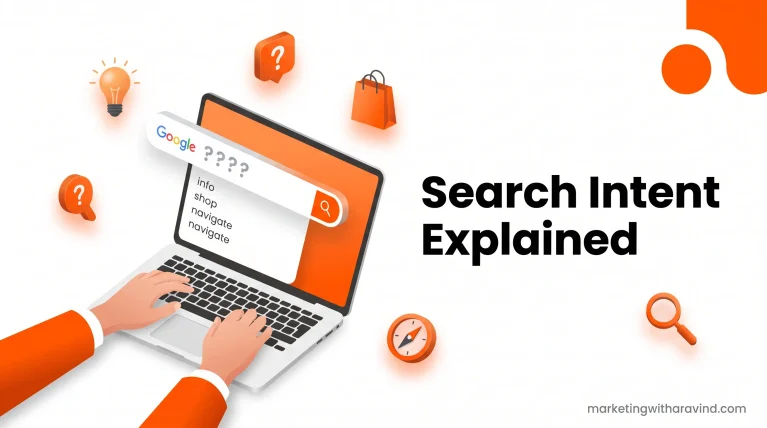
This also helps you match search intent, which is still the heart of ranking.
Step 4: Add Original, Non-Commodity Information
If your article says the same thing as 50 other articles, AI has no reason to cite you. Google explicitly asks for original content with first-hand or expert insight. Easy ways for beginners to add it:
- Share a result from your own work (“When I changed my meta titles, clicks rose from X to Y”).
- Add screenshots of real dashboards, tools or campaigns.
- Run a mini survey or poll on LinkedIn or Instagram and publish the numbers.
- Give your own opinion, framework or checklist with a memorable name.
Step 5: Include Statistics, Sources and Expert Quotes
The original GEO research paper from Princeton, Georgia Tech and IIT Delhi tested different content tweaks and found that adding statistics, quotations and cited sources noticeably boosted how visible a page was in AI answers. Specific numbers are easy for AI to lift and attribute.
- Use exact figures (“68%,” not “most”).
- Link to the original source, not a copy of a copy.
- Quote real experts by name and role, including yourself if you are the expert.
- Add the date or year so readers and AI know the data is current.
Step 6: Build Topical Depth With Content Clusters
Remember the “fan-out” queries? When someone asks one big question, AI quietly searches several related questions. If your site covers the whole topic, you have more chances to be retrieved. Build a cluster:
- One pillar page on the big topic (for example, “SEO for beginners”).
- Several supporting posts on sub-questions (keyword research, on-page SEO, technical SEO).
- Strong internal links that connect them all.
Step 7: Show Real Experience and Authority (E-E-A-T)
AI tools prefer sources that look trustworthy. Make it obvious who is behind your content:
- Add an author box with your name, photo, experience and social links.
- Keep a detailed About page and real contact details.
- Show “Last updated” dates and actually update old posts.
- Use Article and Author schema (Rank Math does this for you). No special “AI schema” is needed.
Step 8: Get Mentioned Beyond Your Own Website
AI tools don’t only read your blog. They also pull from Reddit, YouTube, Quora, LinkedIn, review sites and news articles. When your brand is mentioned positively in these places, AI is more likely to name you. Focus on authentic mentions:
- Answer questions helpfully in Reddit and Quora communities in your niche.
- Turn your best blog posts into short YouTube videos or Shorts.
- Post insights on LinkedIn and link to your in-depth guide.
- Pitch quotes to journalists and industry newsletters.
Avoid fake reviews or paid spam mentions. Google’s guide specifically says that seeking inauthentic mentions is not the way to go.
Step 9: Track Your AI Visibility and Keep Updating
You can’t improve what you don’t measure. Start with these free methods:
- Google Search Console: check the Generative AI performance report to see how your content performs in AI features.
- Google Analytics 4: look for referral traffic from
chatgpt.com,perplexity.ai,gemini.google.comandcopilot.microsoft.com. - Manual prompt checks: once a month, ask ChatGPT, Perplexity and Google AI Mode 10 questions your audience asks and note whether you are cited.
- Refresh content: update statistics, add new examples and re-submit important pages for indexing.
Need tools to help? See our list of SEO tools for beginners.
GEO Myths You Can Safely Ignore
A lot of GEO advice online is hype. According to Google’s own guide, these do not help in Google Search:
- llms.txt files: Google Search doesn’t use them. They won’t hurt, but they won’t help your Google visibility.
- Special “AI schema” or markup: not required. Normal structured data is still useful for rich results.
- Chopping content into tiny chunks: Google can understand long pages that cover several subtopics. Write for your reader.
- Mass-producing pages for every keyword variation: this can break Google’s scaled content abuse policy.
- Rewriting everything “for AI”: write for humans. If visitors find it satisfying, AI is more likely to as well.
Quick GEO Checklist for Every Blog Post
- ✅ Page is indexed and allowed in snippets
- ✅ Direct 40–60 word answer at the top
- ✅ Question-style H2s and H3s
- ✅ At least one table, list or step-by-step section
- ✅ Original insight, example or data
- ✅ Statistics with linked sources
- ✅ Author bio and updated date
- ✅ Internal links to related cluster posts
- ✅ FAQ section with short, clear answers
- ✅ Shared on at least one off-site platform
Frequently Asked Questions About Generative Engine Optimization
Is GEO replacing SEO?
No. GEO is built on SEO. Google states that AI Overviews and AI Mode rely on its normal ranking systems, so good SEO remains the foundation of AI visibility.
How long does generative engine optimization take to work?
If your page already ranks well, structural improvements can show up in AI answers within weeks. For new sites, expect the same timeline as SEO: usually 3 to 6 months of consistent publishing.
Do I need paid tools for GEO?
No. Beginners can start with Google Search Console, Google Analytics 4 and manual checks in ChatGPT, Perplexity and Google AI Mode. Paid AI visibility trackers are helpful later, at scale.
Should I block AI crawlers from my website?
Only if you don’t want to be cited. Blocking crawlers such as OAI-SearchBot or PerplexityBot means those tools can’t retrieve your pages, so they can’t cite them either.
Can a small blog get cited by ChatGPT or AI Overviews?
Yes. Small, focused sites get cited when they answer a specific question clearly and with original insight. Niche, in-depth content is your biggest advantage over large generic sites.
Final Thoughts
Generative engine optimization sounds new and scary, but for beginners it comes down to one idea: be the clearest, most trustworthy answer to a real question. Fix your SEO basics, answer early, structure your content well, add original facts, and earn genuine mentions beyond your site. Do that consistently and both Google and AI search will reward you.
Want to see how AI is changing where people search? Read Will TikTok Kill Google? next, and start applying the 9-step checklist above to your best-performing posts this week.