Picture this.
You’ve just opened a small bakery. You make incredible sourdough, amazing croissants, fresh pastries every morning. Your shop smells incredible. But no one walks through the door.
Your neighbour — who sells average muffins — is packed every single day. You finally ask them what their secret is.
“I put an ad on Google,” they say.
That is the power of Google Ads. While you are waiting for people to find you, your competitors are paying to show up right in front of your exact customers at the exact moment they search.
This guide is going to teach you Google Ads basics from scratch — no jargon, no fluff, no confusing technical terms. Just a clear, simple beginner guide to Google Ads so you can understand how it works, what it costs, and how to run your very first campaign.
Let’s get into it.
What Is Google Ads? (And Why Should You Care?)
Google Ads is Google’s paid advertising platform. It lets businesses of all sizes pay to appear in search results, on websites, on YouTube, and across millions of apps.
When someone types “best running shoes for flat feet” into Google, they see results. The top results — usually marked with a small “Sponsored” label — are Google Ads. The business paying for those ads did not wait months to rank organically. They chose to appear immediately, in front of a buyer who was actively searching.
That is the fundamental promise of Google Ads: paid traffic on demand.
Google Ads vs Organic Search — What’s the Difference?
| Google Ads | Organic SEO | |
| Speed | Immediate results | 3–12 months |
| Cost | Pay per click | Free (but costs time) |
| Position | Top of page, marked “Sponsored” | Below ads |
| Control | Full control over who sees your ad | Limited control |
| Stops when… | You stop paying | Keeps going (usually) |
Both strategies matter. But for a beginner who needs results quickly, Google Ads gives you the fastest route to being seen. If you want to understand the long-term approach, read this guide on SEO foundations for beginners.
How Does Google Ads Work? The Simple Version
Google Ads runs on a system called pay-per-click (PPC) advertising. This means you only pay when someone actually clicks on your ad — not just when they see it.
Here is the basic flow:
- You create an ad and choose the keywords you want to trigger it
- Someone searches Google using one of your keywords
- Google runs an instant auction to decide which ads to show
- If your ad wins, it appears on the search results page
- If the person clicks your ad, you pay a small fee (the cost per click, or CPC)
You never pay for people who scroll past your ad. You only pay for clicks.
The Ad Auction Explained in Plain English
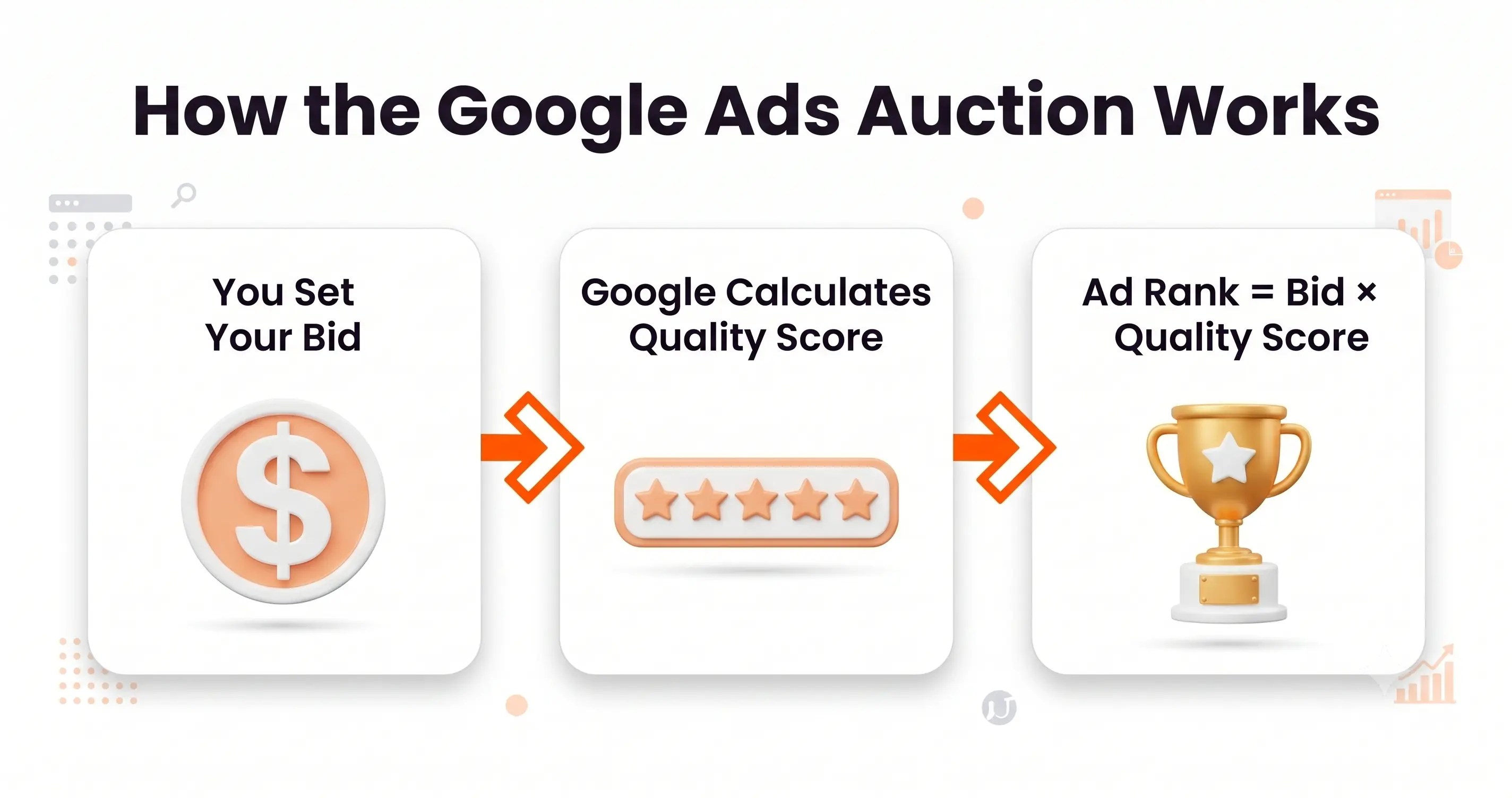
Here is where most beginners get confused. Google doesn’t just show the ad from the highest bidder. If that were true, only giant companies with huge budgets would ever win.
Google runs something called an ad auction every single time someone searches. The winner is decided by a score — not just by who paid the most.
The formula looks like this:
Ad Rank = Your Bid × Your Quality Score
Your bid is the maximum amount you are willing to pay per click. Your Quality Score is a rating Google gives your ad based on how relevant and useful it is.
This means a small business with a $2 bid but a highly relevant ad can outrank a big company with a $10 bid but a poorly written, irrelevant ad.
Good news for beginners: the better your ad, the less you pay.
What Is Quality Score and Why Does It Matter?
Quality Score is a rating from 1 to 10 that Google gives each of your keywords. It is based on three things:
- Expected CTR (Click-Through Rate) — How likely is someone to click your ad?
- Ad relevance — Does your ad match what the person searched for?
- Landing page experience — When someone clicks your ad, does the page they land on actually help them?
A higher Quality Score means:
- Lower cost per click
- Better ad position
- More clicks for less money
For beginners, the takeaway is simple: write relevant ads and send people to pages that match exactly what they searched for.
Types of Google Ads Campaigns Every Beginner Should Know
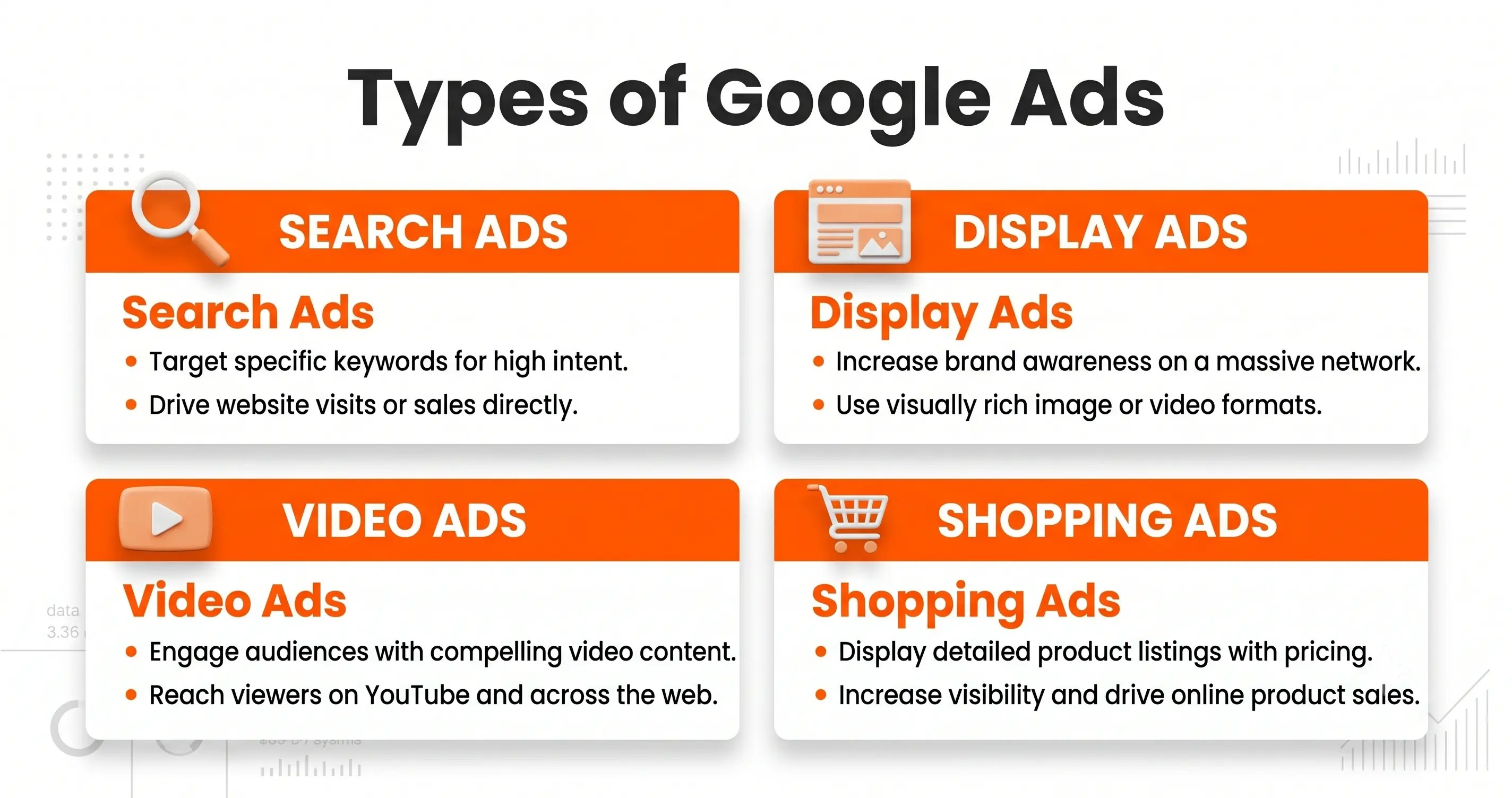
Google Ads is not just search results. There are multiple campaign types. Here are the four most important ones for beginners.
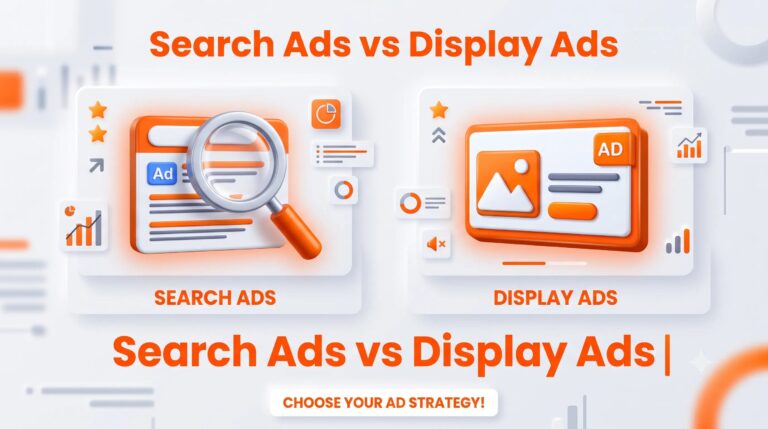
Search Ads
These are the text ads that appear on Google’s search results page when someone types a query. This is what most beginners start with. They look like regular results but have a small “Sponsored” label. Perfect for capturing people who are actively looking for what you offer.
Display Ads
These are banner-style image ads that appear on websites across the internet — news sites, blogs, forums, apps. They are great for building brand awareness. The person might not be actively searching, but your ad follows them around the web.
Video Ads
These are ads that play before or during YouTube videos. You have probably seen them. If someone skips your ad in 5 seconds, you typically don’t pay. Video ads are excellent for storytelling and brand building.
Shopping Ads
These are the product ads with a photo, price, and store name that appear when someone searches for a product to buy. If you run an e-commerce store, Shopping Ads are extremely powerful.
For most beginners, start with Search Ads. They are the simplest to set up, the easiest to measure, and they reach people who are ready to buy.
Google Ads Terminology You Need to Know
Before you run your first campaign, get comfortable with these terms.
CPC (Cost Per Click)
The amount you pay each time someone clicks your ad. This varies wildly depending on your industry. Some clicks cost $0.10. Competitive industries like insurance or legal services can cost $50+ per click.
CTR (Click-Through Rate)
The percentage of people who see your ad and actually click it. Calculated as: (Clicks ÷ Impressions) × 100. A higher CTR means your ad is compelling and relevant.
Impressions
The number of times your ad was shown to someone. Even if they do not click, that’s one impression.
Conversion Tracking
This is how you know if your ads are actually making you money. A conversion is when someone does something valuable after clicking your ad — makes a purchase, fills out a form, calls your phone number. Without conversion tracking set up, you are flying blind.
How Much Does Google Ads Cost? A Beginner Budget Guide
This is the question every beginner asks. The honest answer is: you decide.
Google Ads does not have a minimum spend requirement. You can start with as little as $5 to $10 per day.
Daily Budget vs Monthly Budget
You set a daily budget — the maximum Google will spend per day on your campaign. Google may sometimes spend slightly above or below that, but your monthly total will never exceed your daily budget × 30.4.
| Daily Budget | Monthly Total |
| $5/day | ~$152/month |
| $10/day | ~$304/month |
| $20/day | ~$608/month |
What Can You Achieve With a Small Budget?
If your cost per click is $1, a $10/day budget gives you up to 10 clicks per day. That is 300 potential visitors to your website per month — for $300.
The key is choosing the right keywords. Niche, specific keywords (called long-tail keywords) are often cheaper and more targeted than broad terms. For example:
- “shoes” — very broad, very expensive
- “handmade leather shoes for women” — specific, cheaper, buyer intent
This is why keyword research matters. We cover exactly how to do this in the PPC for beginners complete guide on this blog.
Keyword Targeting in Google Ads — The Beginner Breakdown
Keywords are the words and phrases you choose to trigger your ads. When someone searches for those words, your ad enters the auction.
Choosing the right keywords is the most important skill in Google Ads.
Match Types Explained Simply
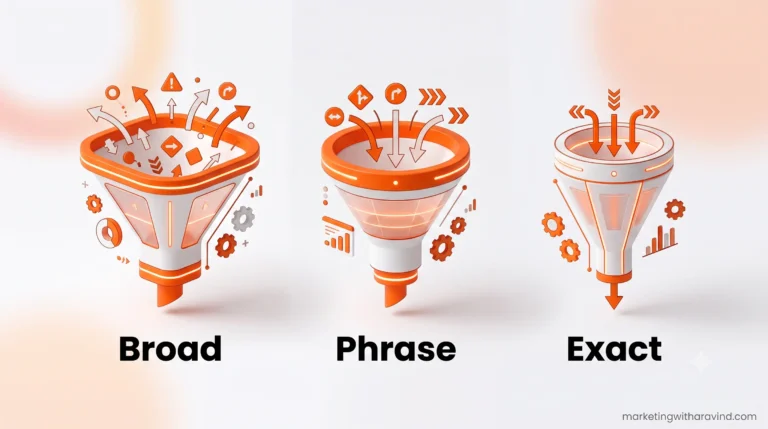
Google gives you control over how closely a search must match your keyword before your ad shows. There are three main match types:
| Match Type | Example Keyword | Ad Shows For |
| Broad Match | running shoes | running trainers, jogging footwear, gym shoes |
| Phrase Match | “running shoes” | best running shoes, running shoes for women |
| Exact Match | [running shoes] | running shoes (and very close variations) |
Beginner tip: Start with Phrase Match. It gives you control without being too restrictive.
How to Use Google Keyword Planner for Free
Google Keyword Planner is a free tool inside Google Ads that shows you:
- How many people search for a keyword each month
- How competitive it is
- The estimated cost per click
To access it: Google Ads Account → Tools → Keyword Planner
You do not need to be running an active campaign to use it.
How to Set Up Your First Google Ads Campaign (Step by Step)
Here is a simple, beginner-friendly walkthrough.
Step 1 — Create a Google Ads Account
Go to ads.google.com and sign in with your Google account. Google will try to push you through a “Smart Campaign” setup. Click “Switch to Expert Mode” to get full control.
Step 2 — Choose Your Campaign Goal
Google asks what you want to achieve. Common goals:
- Website traffic — get people to your website
- Leads — get form fills or phone calls
- Sales — drive e-commerce purchases
Choose the goal that matches your business objective.
Step 3 — Select Your Campaign Type
For beginners: choose Search Campaign. This shows your ads in Google search results.
Step 4 — Set Your Budget and Bidding
Enter your daily budget. For your first campaign, $5–$10/day is a good starting point.
For bidding strategy, choose Maximize Clicks to start. This tells Google to get you as many clicks as possible within your budget. Once you have data, you can switch to smarter strategies.
Step 5 — Choose Your Keywords
Start with 10–20 highly relevant keywords. Use Phrase Match. Include specific long-tail keywords. Avoid overly broad terms that will waste your budget.
Add negative keywords too — these are words you do NOT want your ad to show for. For example, if you sell premium shoes, add “cheap” or “free” as negative keywords.
Step 6 — Write Your Ad Copy
Every Google Search Ad has three parts:
- Headlines — up to 3 headlines, 30 characters each
- Descriptions — up to 2 descriptions, 90 characters each
- Display URL — the URL shown in the ad (can be customised)
More on writing great ad copy in the next section.
Step 7 — Set Up Your Landing Page
Your landing page is the page someone lands on after clicking your ad. It must match your ad exactly. If your ad says “Free Consultation for Small Businesses,” the page must immediately offer that free consultation — not send people to your generic homepage.
How to Write a Google Ad That Gets Clicks
Writing an effective Google ad is a skill. Here are the basics.
The Three Parts of a Google Search Ad
Headline 1 | Headline 2 | Headline 3
Description line 1
Description line 2
Display URL
Example:
Free Bakery Classes | Learn to Bake Sourdough | Sign Up Today
Join 500+ beginners who learned to bake from scratch.
Flexible online classes. Start for free this week.
www.yoursite.com/baking-classes
Beginner Ad Copy Tips
- Include your keyword in Headline 1 — Google bolds matching words, which improves CTR
- Add a clear benefit — what does the person get?
- Include a strong CTA — “Sign Up,” “Get a Free Quote,” “Book Now,” “Start Today”
- Use numbers when possible — “Save 30%,” “Join 500+ students,” “$10 trial”
- Address the person directly — use “you” and “your”
Beginner Mistakes to Avoid in Google Ads
Before you launch, know these common beginner errors:
1. No negative keywords Without negative keywords, your ad will show for irrelevant searches and waste your budget fast. Always build a negative keyword list.
2. Sending traffic to your homepage Your homepage is for everyone. Your ad is for a specific audience with a specific need. Always use a dedicated landing page.
3. Setting and forgetting Google Ads requires ongoing management. Check your campaigns weekly. Pause keywords that are not converting. Test new ad copy.
4. Ignoring Quality Score A low Quality Score means you pay more and appear lower on the page. Focus on relevance from day one.
5. No conversion tracking Without this, you cannot tell which keywords are making you money. Set up conversion tracking before you spend a single dollar.
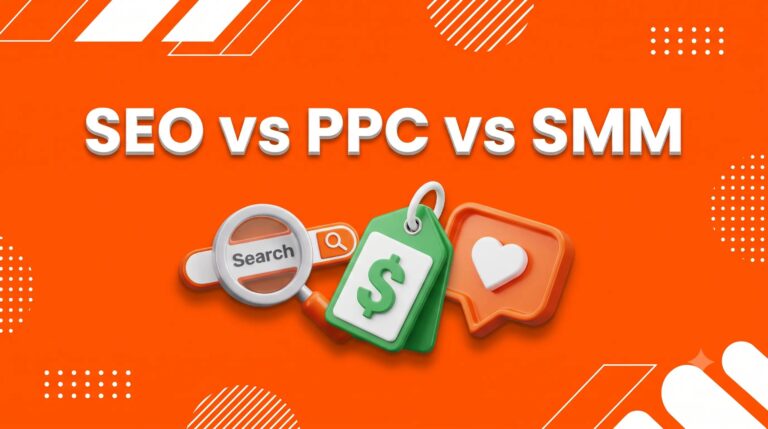
Google Ads vs SEO — Which Should You Start With?
This is one of the most common questions from beginners. The honest answer: they serve different purposes and work best together.
| Google Ads | SEO | |
| Speed | Results in hours | Results in months |
| Cost | Paid (pay per click) | Free (costs time/effort) |
| Sustainability | Stops when you stop paying | Compounding over time |
| Best for | Quick wins, promotions, testing | Long-term organic growth |
The smartest strategy for a small business or freelancer:
- Use Google Ads to get traffic while you are building SEO
- Use SEO data to inform your Google Ads keywords
- Long-term, balance both
To build the organic side alongside your paid traffic, explore the social media marketing for beginners guide and the content marketing for beginners guide on this blog.
Google Ads Basics — Your Quick-Start Checklist
Use this before you launch your first campaign:
- Created a Google Ads account in Expert Mode
- Defined your campaign goal clearly
- Set a realistic daily budget ($5–$20/day)
- Chosen Search Campaign as your campaign type
- Built a keyword list of 10–20 relevant phrases
- Added negative keywords to block irrelevant searches
- Used Phrase Match for your keywords
- Written at least 3 headline variations to test
- Created a dedicated landing page (not your homepage)
- Set up conversion tracking
- Linked Google Analytics to your Ads account
- Scheduled weekly review of campaign performance
Frequently Asked Questions About Google Ads Basics
1. What is Google Ads in simple terms? Google Ads is a paid advertising platform where you pay to show your ads to people searching on Google. You only pay when someone clicks your ad.
2. How much does Google Ads cost for beginners? There is no minimum requirement. You can start with $5–$10 per day. The cost per click depends on your industry and keywords — it can range from a few cents to several dollars per click.
3. Is Google Ads easy for beginners? The basics are straightforward to learn. The platform can feel overwhelming at first, but starting with a simple Search Campaign and a clear goal makes it manageable. This guide covers everything you need to get started.
4. What is the difference between Google Ads and SEO? SEO is about earning free organic rankings over time. Google Ads lets you pay to appear immediately. SEO is slower but sustainable. Google Ads is instant but stops when you stop paying. Ideally, use both.
5. What is a Quality Score in Google Ads? Quality Score is a rating from 1 to 10 that Google gives your keywords based on your ad relevance, expected click-through rate, and landing page experience. A higher score means lower costs and better ad positions.
6. How do I know if my Google Ads are working? Set up conversion tracking from day one. This lets you see how many people clicked your ad and then took a valuable action (purchase, sign-up, phone call). Track cost per conversion, not just clicks.
7. Can I run Google Ads with a small budget? Absolutely. Many successful small businesses run campaigns on $5–$20 per day. The key is choosing the right keywords — specific, long-tail keywords are cheaper and often convert better than broad terms.
Final Thoughts — Take Your First Step Today
Google Ads can feel intimidating when you first look at the dashboard. All those numbers, settings, and options can make your head spin.
But here is the truth: the basics are simple. You are matching your ad to someone’s search. You are paying only when they click. You are telling Google what budget you have. And you are checking regularly to see what works.
You do not need a big budget to start. You do not need to be a marketing expert. You just need to understand the fundamentals — which you now do.
Start small. Learn from the data. Improve over time.
The best Google Ads campaign you will ever run is the one you have the courage to launch today