Emma ran a small handmade jewellery business from her kitchen table. She had beautiful products, great photos, and a passion for her craft. But for almost a year, her sales came only from friends and family, because almost nobody else knew she existed.
Then she opened an Instagram Business account.
Within 90 days, she had 800 followers, consistent website traffic, and orders from people she had never met. She hadn’t spent a single dollar on ads. She just learned the basics of Instagram marketing and applied them consistently.
If you’re running a small business, freelancing, or building a personal brand, Instagram is one of the most powerful free marketing tools you have right now. And in this guide, you’ll learn exactly how to use it, step by step, from scratch.
Before we dive in, if you’re completely new to promoting your business online, I’d recommend checking out this social media marketing for beginners guide first, as it gives you the big picture before we zoom into Instagram specifically.
What Is Instagram Marketing?
Instagram marketing is the practice of using Instagram to promote your business, build brand awareness, attract customers, and generate sales, without necessarily spending money on ads.
It means:
- Posting content your target audience finds useful or interesting
- Showing up consistently so people remember you
- Engaging with followers to build a community
- Using Instagram’s built-in tools (Reels, Stories, carousels) to reach new people
Instagram marketing is not just about getting followers. It’s about getting the right followers, people who are genuinely interested in what you offer.
Why Instagram Is Perfect for Beginners
You don’t need a big budget, a fancy camera, or a design degree to market on Instagram. You just need a phone, a plan, and consistency.
The Numbers That Matter
Instagram has over 2 billion active monthly users. More than 500 million of them use Stories every single day. And over 70% of shoppers say they discover new products on Instagram before buying.
That’s not a niche platform. That’s a marketplace.
Who Is Actually on Instagram?
Instagram’s core audience is between 18 and 44 years old, which happens to be the prime buying demographic for most small businesses. Whether you’re selling physical products, offering services, or building a personal brand, your customers are very likely already on Instagram right now.
Step 1 — Set Up Your Instagram Business Account
The first thing you need is a proper Instagram Business Account. Not a personal account, a Business account. Here’s why it matters.
Personal vs. Creator vs. Business Account
| Feature | Personal | Creator | Business |
| Instagram Insights | ❌ | ✅ | ✅ |
| Contact buttons (email/call) | ❌ | ✅ | ✅ |
| Instagram Shopping | ❌ | Limited | ✅ |
| Promoted posts (ads) | ❌ | ✅ | ✅ |
| Scheduling via third-party tools | ❌ | ✅ | ✅ |
| Business category label | ❌ | ❌ | ✅ |
For marketing a business or brand, always choose Business Account. It gives you access to Instagram Insights, the ability to add a contact button, and the ability to run ads later if you want.
How to Switch to a Business Account (Step by Step)
- Open Instagram and go to your profile
- Tap the three horizontal lines (top right)
- Go to Settings and Privacy
- Tap Account type and tools
- Select Switch to Professional Account
- Choose Business
- Select your business category
- Add your contact information
- Tap Done
That’s it. You now have a fully functional Instagram Business Account.
Step 2 — Optimize Your Instagram Profile
Before you post a single piece of content, your profile needs to do one job: convince a stranger to follow you in under 5 seconds.
Most visitors spend less than 3 seconds on your profile before deciding to follow or leave. Every element needs to earn its place.
How to Write an Instagram Bio That Works
Your Instagram bio is only 150 characters; use them wisely.
A good Instagram bio answers three questions immediately:
- What do you do?
- Who is it for?
- What should I do next?
Example for a fitness coach: “🏋️ Helping busy parents get fit at home 💪 No gym needed | 15-min workouts 👇 Free meal plan below”
Example for a small bakery: “🍰 Handmade cakes for every occasion 📍 Custom orders | Same-week delivery 👇 Order via link below”
Notice the structure: what you do → who it’s for → one clear call to action.
Also, add your website link in the bio link section. If you have multiple links to share, use a free tool like Linktree to combine them into one.
Profile Picture and Username Tips
Profile picture: Use a clean, recognisable image. For a personal brand, use a clear headshot. For a product business, use your logo. Avoid text-heavy images; they look blurry at small sizes.
Username: Keep it simple, consistent with your other platforms, and easy to search. Avoid numbers, underscores, or unusual spellings if possible.
Step 3 — Understand the 4 Types of Instagram Content
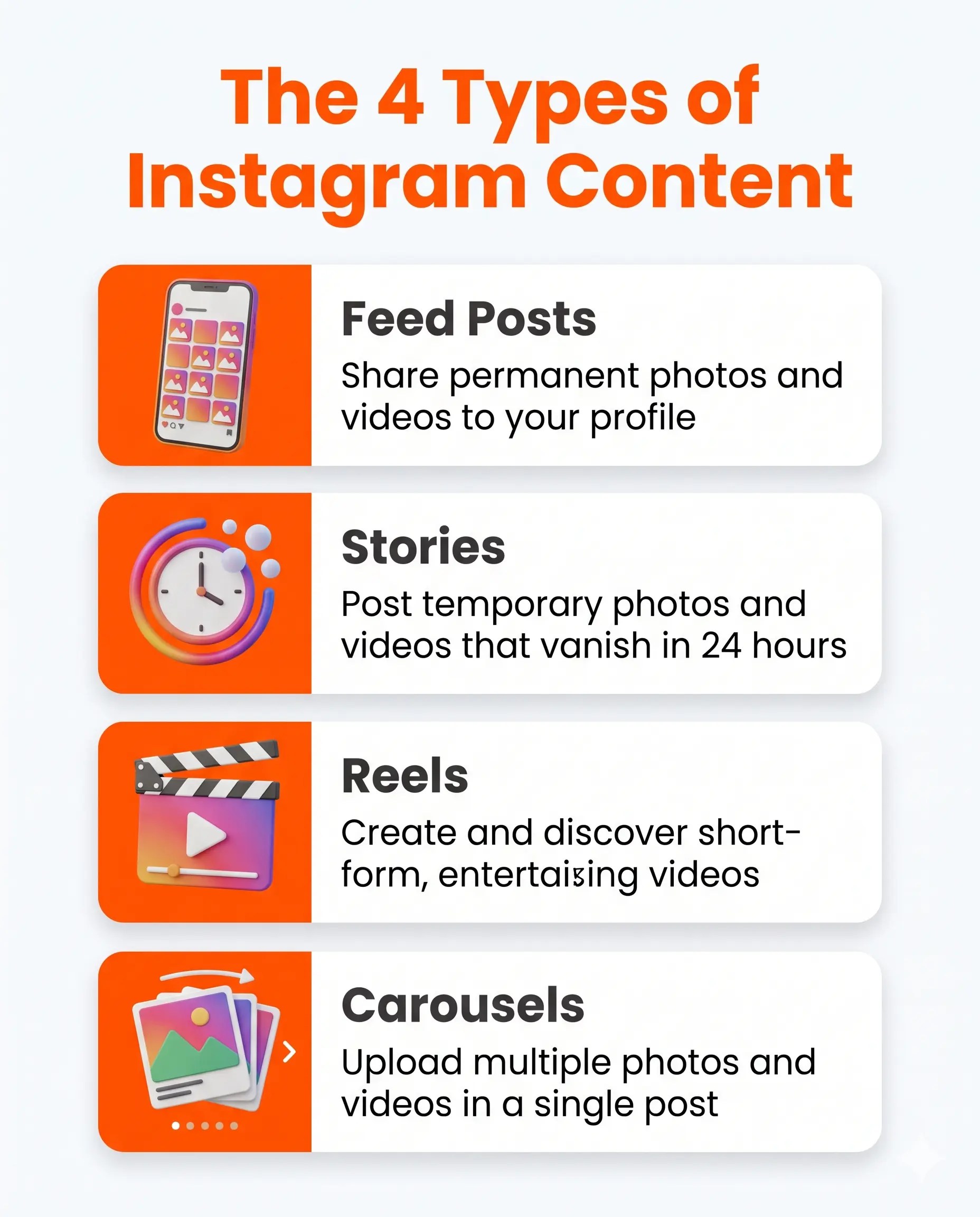
This is where most beginners get confused. Instagram has four content formats, and each one serves a different purpose. Understanding this changes everything about how you plan your content.
Feed Posts
Feed posts are the regular images or videos that appear permanently on your profile grid. They’re the “evergreen” content on Instagram, they stay on your profile and can be found through hashtags and Explore.
Use feed posts for:
- Showcasing your products or services
- Sharing educational tips or value
- Before-and-after results
- Professional photos that represent your brand
Feed posts have the longest lifespan of any Instagram format. A great feed post can still bring you new followers weeks after you publish it.
Instagram Stories
Stories are short photos or videos that disappear after 24 hours. They appear at the top of your followers’ feed and feel more casual and real-time than feed posts.
Use Stories for:
- Behind-the-scenes moments
- Quick polls or questions to engage your audience
- Limited-time offers or announcements
- Direct Messages (DMs) prompts — “Reply to this Story to learn more”
- Repurposing your feed posts with a personal comment
Stories are great for building a real connection with your audience because they feel personal, not polished.
Instagram Reels
Reels are short-form videos (15 seconds to 90 seconds) that are shown to people who don’t follow you. They are Instagram’s most powerful tool for organic reach right now.
Use Reels for:
- Reaching brand-new audiences
- Quick tutorials or tips
- Trending audio or formats adapted to your niche
- Sharing your personality and story
If you want to grow your followers without spending money on ads, Reels are your best friend. Instagram actively pushes Reels content to new users because they want to compete with TikTok.
Carousels
Carousels are multi-image or multi-slide posts where users swipe left to see more content. They consistently get higher engagement than single-image posts because they keep people on your post longer.
Use Carousels for:
- Step-by-step tutorials
- Lists (e.g., “5 Instagram mistakes to avoid”)
- Before/after comparisons
- Telling a story across multiple slides
- Educational content your audience will save and share
Saves and shares are powerful signals to Instagram’s algorithm. Carousel posts that teach something useful get saved frequently, which tells the algorithm your content is valuable.
Step 4 — Build Your Instagram Content Strategy
Posting randomly whenever you feel like it is the slowest way to grow. A simple content strategy makes the difference between random results and consistent growth.
The 3-2-1 Instagram Posting Formula
For beginners, a sustainable posting rhythm looks like this:
Every week, aim to post:
- 3 value posts — Educational, helpful, or entertaining content that your audience finds useful (tips, tutorials, lists)
- 2 engagement posts — Content that invites interaction (questions, polls, opinions, “which do you prefer” posts)
- 1 promotional post — Something that directly promotes your product, service, or offer
This balance keeps your account useful, not salesy. People unfollow accounts that only post promotions. But they follow and stay with accounts that consistently give them value.
How to Use Hashtags Effectively
Hashtags help new people discover your content. But the way most beginners use them is wrong.
Avoid this: Pasting 30 random, massive hashtags like #love or #photography with 500 million posts. Your content gets buried instantly.
Do this instead:
- Use 5–10 highly relevant, medium-sized hashtags (50K–500K posts)
- Mix niche-specific hashtags with broader ones
- Create one branded hashtag unique to your business
Example for a home baker:
- Niche: #homebakedbread #sourdoughbeginner #bakingtips
- Broader: #homecooking #breadbaking
- Branded: #BakedByMaria
The goal is to find hashtags where your content has a realistic chance of being seen, not ones where you’re competing against millions of posts.
Step 5 — Grow Your Audience Organically
Growing on Instagram without ads takes time, but it works. Here’s what actually moves the needle.
Engagement Tactics That Actually Work
Reply to every comment. Especially when you’re starting out. Every comment you receive and reply to tells the algorithm your post is driving conversation, so it gets shown to more people.
Start conversations in DMs. When someone new follows you, send a genuine welcome message. Not a promotional message, just a real “Hey, thanks for following! What do you sell / what are you working on?” message.
Engage with similar accounts. Spend 15 minutes a day leaving genuine, thoughtful comments on posts from accounts in your niche. This puts your name in front of their audience.
Use the Question sticker in Stories. Ask your audience something relevant to your niche. The replies give you content ideas AND signal to Instagram that your Stories have high engagement.
Post User-Generated Content (UGC). If a customer shares a photo of your product, ask their permission and repost it. UGC builds trust faster than any polished branded photo.
How to Use Instagram Insights
Once you switch to a Business Account, Instagram gives you free analytics called Instagram Insights. This shows you:
- Reach — how many unique accounts saw your post
- Impressions — how many total times your post was seen
- Engagement rate — likes + comments + saves divided by reach
- Follower growth — when your followers are active
Check your Insights every week and ask: Which posts got the most saves? Which Reels reached the most non-followers? Do more of what’s working.
If you want to understand how to track your marketing results across channels, not just Instagram, our digital marketing basics for beginners guide covers everything in one place.
Your 30-Day Instagram Beginner Posting Plan
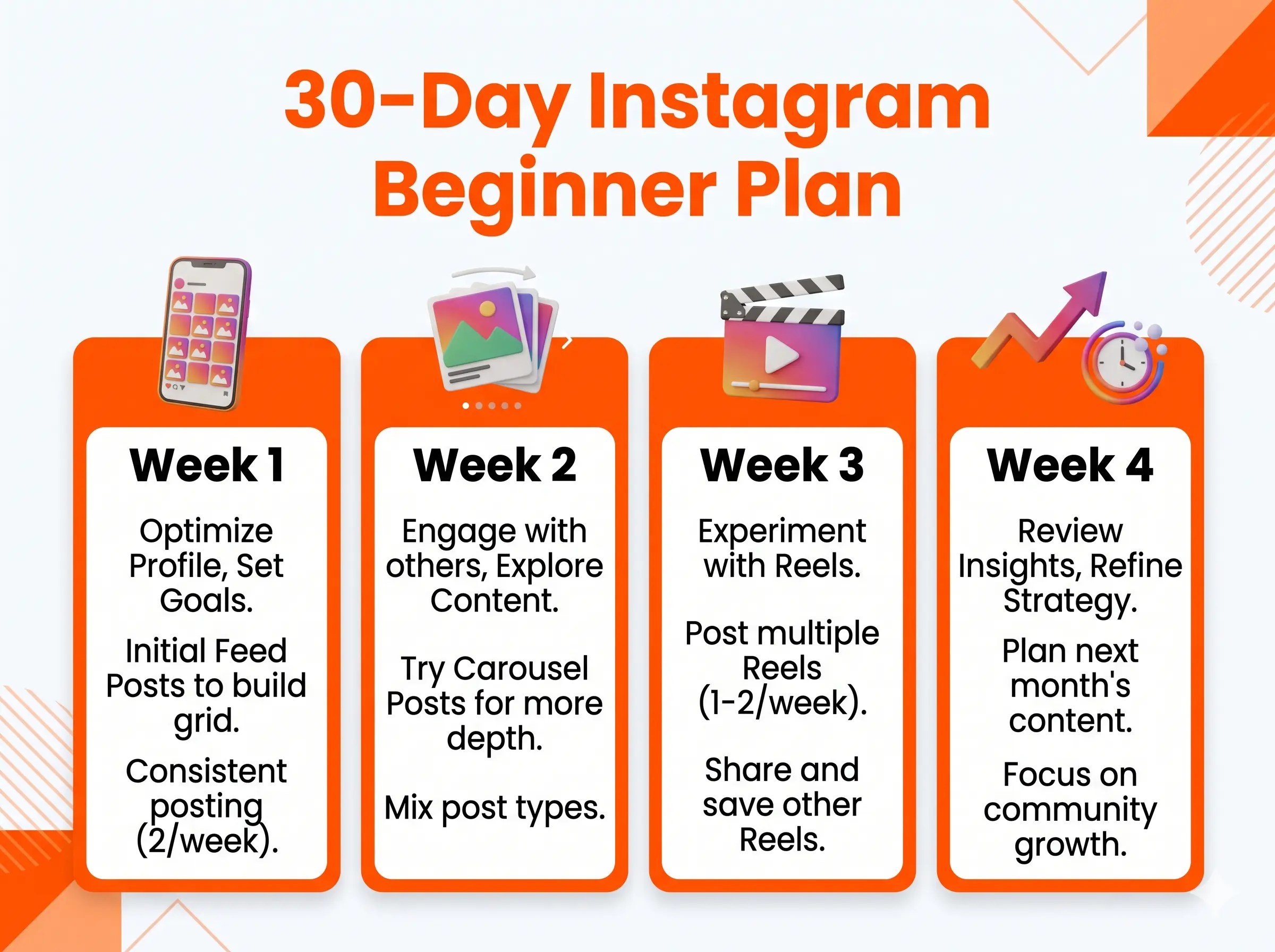
Here’s a simple, repeatable plan you can start today.
| Week | Focus | Content Mix |
| Week 1 | Profile setup + first impressions | 3 feed posts introducing yourself + 2 Stories |
| Week 2 | Value + education | 2 carousels + 1 Reel + 3 Stories |
| Week 3 | Engagement + community | 1 Reel + 2 value posts + 3 Stories with polls/questions |
| Week 4 | Promotion + results | 1 promotional post + 2 value posts + 1 Reel + 3 Stories |
Daily time investment: 20–30 minutes
- 10 minutes creating or scheduling one post
- 10 minutes engaging with comments and other accounts
- 5 minutes checking Insights and adjusting
Consistency for 30 days beats perfection once a month. Every time.
Instagram Marketing Checklist for Beginners
Use this before you start posting:
Profile Setup
- Switched to Business Account
- Profile picture is clear and recognisable
- Bio clearly explains what you do and who it’s for
- Bio includes a call to action and a link
- Username is consistent with other platforms
Content Strategy
- Decided on 3 content themes relevant to your niche
- Planned first week of posts (3 value, 2 engagement, 1 promo)
- Created at least one Reel for organic reach
- Prepared 5–10 relevant hashtags per post type
Growth Activities
- Replied to every comment within 24 hours
- Spent 15 minutes engaging with similar accounts
- Checked Instagram Insights for top-performing posts
- Shared at least one Story this week
- Used at least one interactive sticker (poll, question) in Stories
Common Instagram Marketing Mistakes to Avoid
Posting without a strategy. Random content gets random results. Even a simple 3-post-per-week plan beats inconsistent bursts of activity.
Using only promotional content. If every post is “buy my product,” people will unfollow quickly. Follow the 3-2-1 formula and give more value than you ask.
Ignoring Reels. Feed posts alone won’t grow your account much anymore. Reels are the single biggest driver of organic reach on Instagram right now. Even one Reel per week makes a significant difference.
Buying followers. Fake followers destroy your engagement rate. If 10,000 of your followers are bots, your posts reach 10,000 people, but nobody engages, and the algorithm stops showing your content to anyone. It’s the worst thing you can do for long-term growth.
Giving up after 30 days. Most people quit just before it starts working. Instagram growth is slow for the first 60–90 days, then it compounds. The accounts that win are the ones that stay consistent when it feels like nothing is happening.
Pair your Instagram strategy with a solid content marketing approach; the two work incredibly well together once you understand how content flows across platforms.
FAQ — Instagram Marketing for Beginners
What is Instagram marketing?
Instagram marketing is the process of using Instagram to promote a business, attract new customers, build brand awareness, and generate sales — using organic content, Stories, Reels, and engagement strategies.
How does Instagram marketing work?
You post content that your target audience finds useful, interesting, or entertaining. Instagram’s algorithm shows that content to more people based on engagement. Over time, this builds a following of people who are genuinely interested in your business.
Is Instagram good for business?
Yes, Instagram is one of the most effective free marketing tools for small businesses, especially if your product or service is visual. Over 70% of shoppers discover new products on Instagram.
How do beginners market on Instagram?
Start by switching to a Business Account, optimising your profile, and posting a mix of educational content, engagement posts, and Reels. Engage with your audience consistently and check your Insights weekly to improve.
How often should I post on Instagram?
For beginners, 3–4 times per week is a sustainable and effective starting point. Consistency matters more than frequency; it’s better to post 3 times a week every week than 10 times one week and nothing the next.
What type of content performs best on Instagram?
Reels consistently get the highest organic reach. Carousels get the most saves and shares. Stories build the closest connections with your existing audience. Aim to use all three formats regularly.
How can I grow my Instagram business account?
Post valuable content consistently, use Reels for reach, engage genuinely with your audience and similar accounts, use relevant hashtags, and check your Insights regularly to double down on what’s working.
Is Instagram marketing free?
Yes, you can build a real audience and generate business results with zero ad spend. Instagram’s organic tools (Reels, Stories, hashtags, engagement) are completely free. Paid ads are optional and only worth considering once your organic presence is established.