A friend of mine runs a small online bakery. Every Sunday night, she used to sit at her kitchen table with a notebook, trying to remember what she’d already posted, what was still in her drafts folder, and what her customers had actually asked her about that week.
It was chaos. Good content, terrible workflow.
The moment everything changed wasn’t a fancy rebrand or a bigger budget. It was the day she discovered a handful of simple content marketing tools that helped her plan, write, and publish without the Sunday-night scramble.
That’s what this guide is about.
We’re going to walk through exactly what content marketing tools are, why they matter even if you’re a complete beginner, and which ones, free and paid, are genuinely worth using in 2026. By the end, you’ll have a clear, simple content marketing toolkit you can start using this week.
What Are Content Marketing Tools?
Content marketing tools are simply the software that helps you plan, create, optimize, and distribute content more effectively, without relying on memory, guesswork, or a messy notebook.
Think of them as the kitchen equipment behind a good meal. A skilled cook can make something without a food processor, but the right equipment makes the process faster, more consistent, and far less stressful.
The same is true here. You don’t strictly need content marketing tools to create content. But the right ones remove friction from every stage of the process, from your first content strategy idea to the final published post.
If you’re brand new to the bigger picture, it’s worth first reading what content marketing actually is before diving into tools, so everything below makes more sense in context.
Why Beginners Specifically Need Content Marketing Tools
A lot of beginners assume content marketing tools are only for big teams with big budgets. That’s not true.
In fact, beginners often benefit the most from content marketing tools because they haven’t yet built the habits, routines, or instincts that experienced marketers rely on.
Without tools, it’s easy to:
- Forget what topics you’ve already covered
- Publish content nobody is actually searching for
- Lose track of what’s performing well and what isn’t
- Spend hours on tasks that could take minutes
Content marketing tools solve all four problems, and most of the best ones are either free or genuinely affordable for a solo creator or small business.
The 6 Categories Every Content Marketing Toolkit Needs
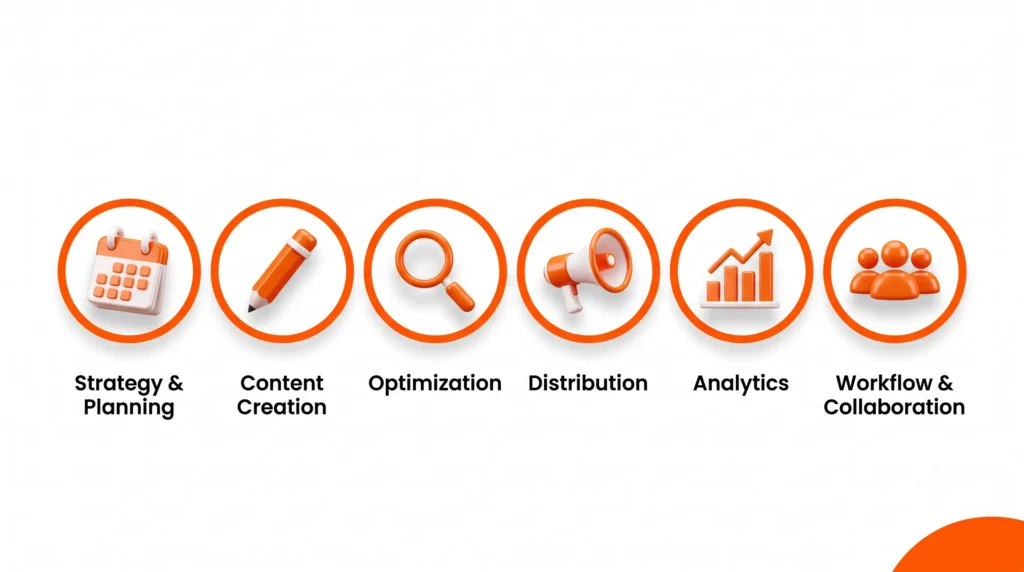
Whether you’re blogging, running social media, or building an email list, every solid content marketing toolkit covers six core jobs. Let’s break each one down before naming specific tools.
1. Content Strategy & Planning Tools
These help you map out what to create, when, and why, usually through an editorial calendar or content planning board.
2. Content Creation Tools
These are the tools you actually use to write, design, or produce your content, including AI writing assistants and graphic design apps.
3. Content Optimization Tools
These check whether your content is set up to actually rank and perform, covering keyword research, SEO, and on-page structure.
4. Content Distribution Tools
These help you get your content in front of people: social media scheduling, email marketing, and cross-platform publishing.
5. Analytics & Performance Tools
These show you what’s working, what isn’t, and where to focus your energy next.
6. Workflow & Collaboration Tools
These keep everything organized, especially once you’re working with even one other person, a freelancer, a designer, or a virtual assistant.
If you want a deeper foundation before picking tools, our content marketing for beginners guide covers the full strategy behind each of these categories.
Best Free Content Marketing Tools
Here’s the encouraging part: you can build a genuinely functional content marketing toolkit for $0. Let’s go category by category.
Content Strategy & Planning (Free)
Google Sheets or Trello A simple editorial calendar is often all you need at the beginning, tracking topics, publish dates, and status in one place.
AnswerThePublic (free tier) Turns a single keyword into dozens of real questions your audience is asking, which is perfect for planning your next batch of content.
Content Creation (Free)
Canva (free plan) One of the most beginner-friendly graphic design tools available, with templates for blog banners, social posts, and email headers.
Google Docs Simple, collaborative, and completely free, ideal for drafting and editing before you publish.
ChatGPT or Gemini (free tiers) Useful AI writing tools for brainstorming headlines, outlines, and first drafts, as long as you edit and personalize the output afterward.
Content Optimization (Free)
Google Keyword Planner shows you what people are actually searching for, so your content targets real demand instead of guesses.
Yoast SEO or Rank Math (WordPress plugins) provides real-time on-page SEO guidance while you write, flagging missing keywords, weak headings, or thin content.
Content Distribution (Free)
Meta Business Suite Free scheduling and publishing across Facebook and Instagram, with basic performance data included.
Mailchimp (free tier) A genuinely capable free email marketing tool for small lists, ideal for beginners building their first newsletter.
Analytics & Performance (Free)
Google Analytics The standard, free way to track how people find and interact with your content once it’s published.
Google Search Console Shows you exactly which search terms are already bringing people to your content.
Workflow & Collaboration (Free)
Trello or Notion (free tiers) Simple boards to track content from idea to draft to published, especially useful once more than one person is involved.
Comparison Table: Free Content Marketing Tools at a Glance
| Tool | Category | Best For | Learning Curve |
| Google Sheets / Trello | Strategy & Planning | Editorial calendar | Easy |
| AnswerThePublic | Strategy & Planning | Content & topic ideas | Very Easy |
| Canva | Content Creation | Graphic design | Very Easy |
| ChatGPT / Gemini | Content Creation | AI writing assistance | Easy |
| Google Keyword Planner | Content Optimization | Keyword research | Easy |
| Yoast / Rank Math | Content Optimization | On-page SEO | Very Easy |
| Meta Business Suite | Content Distribution | Social scheduling | Easy |
| Mailchimp | Content Distribution | Email marketing | Easy |
| Google Analytics | Analytics | Traffic & performance | Medium |
| Notion / Trello | Workflow & Collaboration | Team organization | Easy |
Best Paid Content Marketing Tools (When You’re Ready to Upgrade)
Free tools will genuinely carry you far. But as your content output grows, more platforms, more collaborators, more data to track, paid content marketing software can save real time by bringing everything into one dashboard.
Here are the most beginner-friendly paid content marketing tools, most offering free trials so you can test before committing.
Semrush, around $139.95/month for the entry plan. Covers keyword research, content optimization, and competitor analysis, making it one of the most complete all-in-one content marketing tools on the market.
Surfer SEO, around $99/month. Focused specifically on content optimization, comparing your draft against top-ranking pages and scoring it in real time.
CoSchedule, starting around $29/month for solo creators. A dedicated content marketing calendar and workflow tool built specifically for planning and organizing content across teams.
Buffer, starting around $6/month per channel. An affordable, beginner-friendly content distribution and social scheduling tool.
ConvertKit, starting around $9/month. Purpose-built email marketing software for creators and small businesses looking to grow an audience through content.
Comparison Table: Paid Content Marketing Tools
| Tool | Starting Price (USD/month) | Best For | Beginner-Friendly? |
| Semrush | ~$139.95 | All-in-one content & SEO suite | Yes |
| Surfer SEO | ~$99 | Content optimization | Yes |
| CoSchedule | ~$29 | Content calendar & workflow | Yes |
| Buffer | ~$6/channel | Social media distribution | Yes |
| ConvertKit | ~$9 | Email marketing for creators | Yes |
Note: Prices change often; always check the official pricing page before purchasing.
Step-by-Step: How to Build Your First Content Marketing Toolkit
Let’s turn all of this into a simple action plan.
Step 1: Start with a basic editorial calendar. Even a free Google Sheet with columns for topic, keyword, status, and publish date will completely change how organized your content feels.
Step 2: Add one content optimization tool. Install Yoast or Rank Math if you’re on WordPress, and get comfortable with Google Keyword Planner for topic research.
Step 3: Choose one AI writing assistant. Use it for outlines and first drafts only , always edit and personalize before publishing, so your content still sounds like you.
Step 4: Pick one distribution tool per channel. Start with Meta Business Suite for social media and Mailchimp for email. Don’t try to master five platforms at once.
Step 5: Set up analytics from day one. Connect Google Analytics and Google Search Console before you publish your first piece, not after; early data is genuinely valuable.
Step 6: Upgrade only when free tools start limiting you. If you’re managing multiple collaborators or need deeper competitor data, that’s your signal to consider a paid content marketing tool, not before.
This step-by-step mindset mirrors the same approach in our SEO tools for beginners guide, where starting small and expanding gradually always beats buying everything on day one.
Common Mistakes Beginners Make With Content Marketing Tools
Mistake 1: Buying too many tools too soon. It’s tempting to sign up for five different content marketing tools in your first week. Most beginners only need one tool per category to start.
Mistake 2: Using AI writing tools without editing. AI content marketing tools are excellent for speed, but unedited AI drafts often feel generic. Always add your own voice, examples, and experience.
Mistake 3: Skipping analytics until “later.” Many beginners wait months before checking performance data. Connect your analytics tools from day one so you’re never guessing.
Mistake 4: Ignoring content optimization entirely. Great writing without basic optimization tools rarely gets discovered. A simple SEO plugin can make the difference between content that ranks and content that disappears.
Mistake 5: Treating content marketing tools as a replacement for strategy. Tools support your content strategy; they don’t replace it. Understanding your audience and goals still matters more than any single piece of software, something we cover fully in why content marketing matters.
Content Marketing Toolkit Checklist
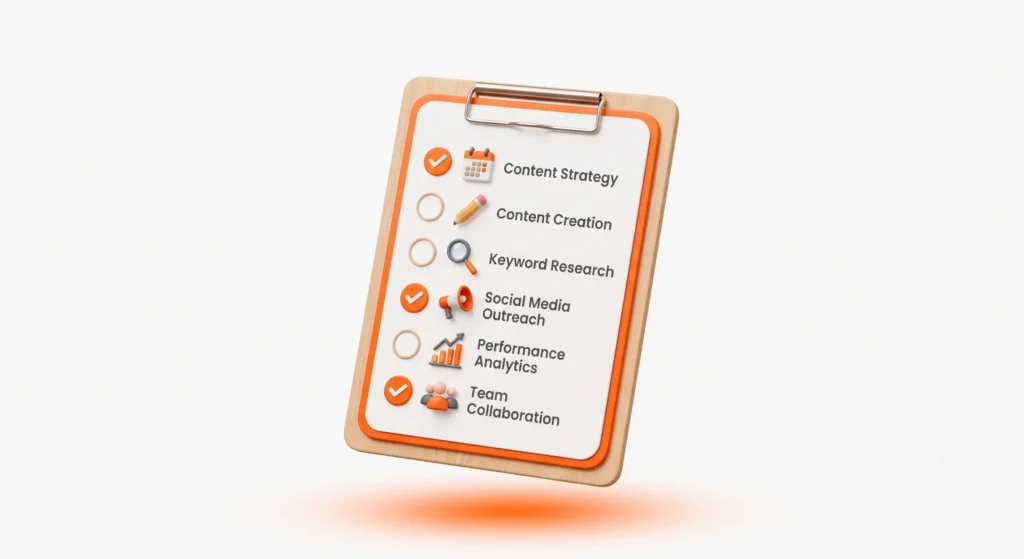
Use this before you consider your toolkit “complete”:
- A simple editorial calendar set up and in use
- One content optimization tool installed (SEO plugin or keyword tool)
- One AI writing assistant selected for drafting support
- One graphic design tool bookmarked for visuals
- One social media scheduling tool connected
- One email marketing tool set up, even with a small list
- Google Analytics and Google Search Console are connected
- A clear decision point for when you’ll upgrade to paid content marketing software
FAQs About Content Marketing Tools
What are the best content marketing tools for beginners? Google Sheets for planning, Canva for design, an SEO plugin like Yoast, and a free AI writing tool cover the essentials without any cost.
Which content marketing tools are free? Google Docs, Google Sheets, Canva’s free plan, Google Analytics, Google Search Console, Meta Business Suite, and Mailchimp’s free tier are all genuinely usable content marketing tools at no cost.
What tools do content marketers use? Most content marketers use a mix of planning tools (calendars), creation tools (writing and design apps), optimization tools (SEO plugins, keyword research), distribution tools (scheduling and email), and analytics tools.
Which content marketing tool is best for beginners? A simple editorial calendar paired with an on-page SEO plugin is usually the best starting combination, since it covers both organization and discoverability.
What is the best AI tool for content marketing? Tools like ChatGPT and Gemini are widely used for brainstorming, outlining, and first drafts, though the best results always come from editing AI output in your own voice.
Do small businesses need paid content marketing tools? Not right away. Many small businesses run effective content marketing for a year or more using only free tools before needing to upgrade.
How do content marketing tools help? They remove guesswork from planning, speed up creation, improve discoverability through optimization, extend your reach through distribution, and show you what’s actually working through analytics.
What tools are needed for content creation? At a minimum, a writing tool (like Google Docs), a design tool (like Canva), and an AI writing assistant for brainstorming cover most beginner content creation needs.
Final Thoughts
My friend with the online bakery didn’t need a marketing degree or an expensive software subscription to fix her Sunday-night chaos. She needed a simple set of content marketing tools, a calendar to plan with, a design tool to create with, and one optimization tool to make sure her content could actually be found.
Once she put those pieces in place, the guesswork disappeared. She stopped scrambling on Sunday nights and started publishing with a clear plan, week after week.
You don’t need every tool on this list either. Start with one tool per category, get comfortable, and expand only when your current content marketing tools start holding you back, not before.