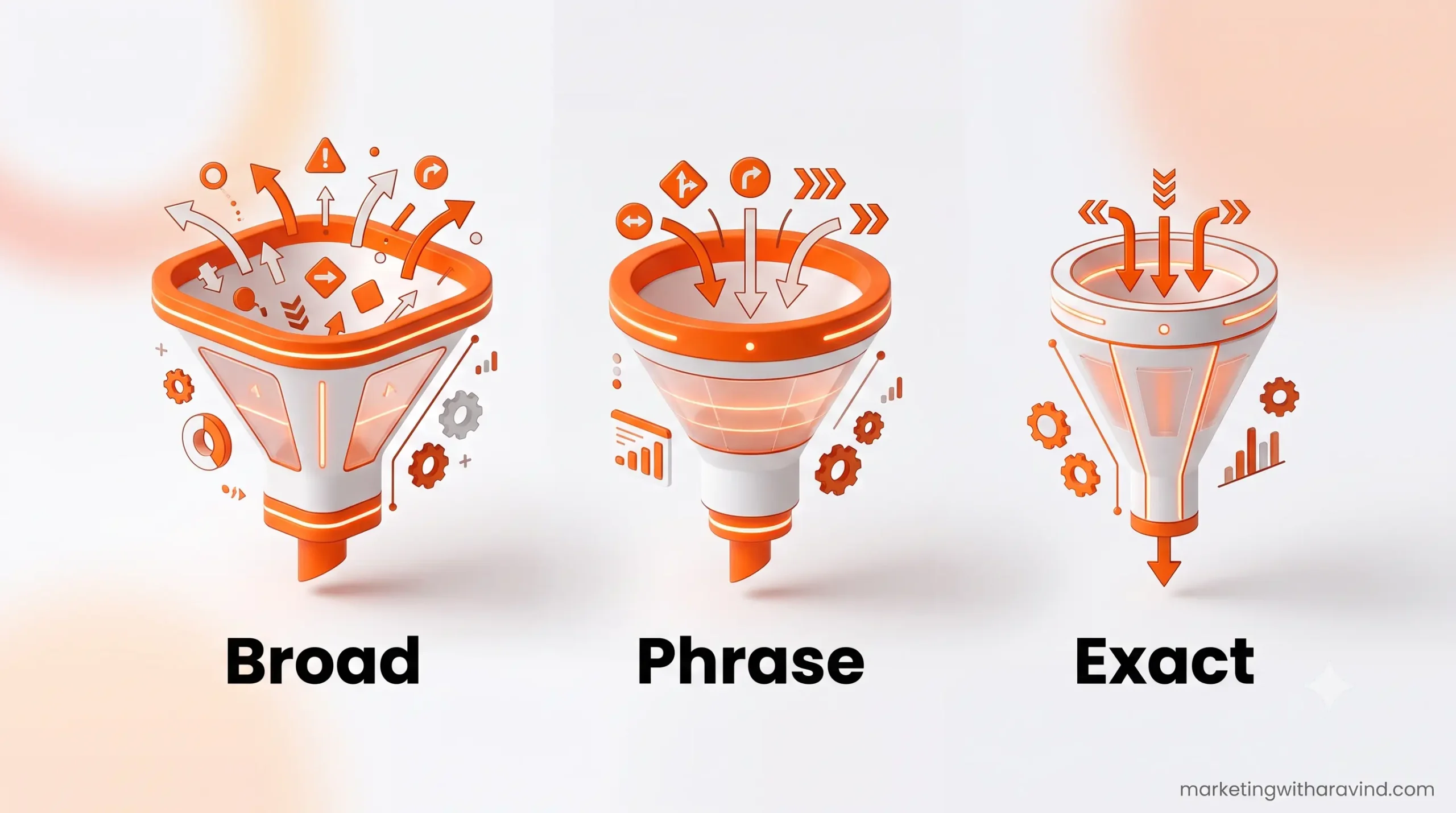
If you’ve ever set up your first PPC campaign and watched your budget disappear in a day, there’s a good chance the real culprit was this: you didn’t understand Google Ads keyword match types. This is part of our growing PPC and Google Ads cluster on Marketing With Aravind, where we’re breaking down paid search, one beginner-friendly guide at a time. Match types decide exactly which search queries trigger your ad, and getting them wrong is one of the fastest ways to burn money on clicks that never convert.
In this guide, we’ll walk through every keyword match type in plain English, show you real search query examples, compare them side by side, and help you avoid the mistakes that quietly drain PPC budgets every single day.
What Are Keyword Match Types in Google Ads?
Keyword match types are settings inside Google Ads that control how closely a user’s search term must match your chosen keyword before your ad is allowed to show. Think of match types as a filter. A loose filter shows your ad to almost anyone searching for anything related. A tight filter only shows your ad when someone types (almost) exactly what you told Google to look for.
Every keyword you add to a campaign uses one of three primary match types:
- Broad Match
- Phrase Match
- Exact Match
Choosing the right one affects your quality score, click-through rate, cost per click, and ultimately your conversion rate. Beginners often skip this step entirely, leave everything on the default setting, and later wonder why their search campaigns are eating budget with no results.
Why Keyword Match Types Matter for Beginners
Here’s the part most competitor articles skip: match types aren’t just a technical setting; they directly shape your search intent targeting. If you sell handmade candles and use the wrong match type, your ad could show up for “how to make candles at home for free,” someone who has zero intention of buying from you. That’s wasted spend, plain and simple.
Getting your keyword targeting in Google Ads right early means:
- Lower cost per click over time
- Higher ad relevance and Quality Score
- Better click-through rate
- Fewer irrelevant clicks eating your daily budget
- A cleaner search terms report to guide future keyword research
Broad Match Explained
Broad Match is the default match type in Google Ads, and it’s also the loosest. With Broad Match, your ad can show for searches that Google considers related to your keyword’s meaning, not just the exact words.
How to write it: simply type the keyword with no punctuation. digital marketing course
Example of Broad Match behavior: If your keyword is digital marketing course, your ad could show up for:
- online marketing classes
- courses to learn digital marketing
- best digital marketing training near me
- SEO and PPC learning programs
Notice none of those searches use your exact words. Google is matching based on meaning and user intent, using signals like your landing page, other keywords in your account, and your past performance.
When to use Broad Match:
- You’re using Smart Bidding and want Google’s automation to find new relevant searches
- You have strong negative keywords in place to filter out junk traffic
- You want maximum reach for brand awareness campaigns
The risk: without negative keywords, Broad Match is the number one reason beginners waste ad spend. It’s powerful, but it needs supervision.
Phrase Match Explained
Phrase Match sits in the middle. Your ad shows for searches that include the meaning of your keyword phrase, with the words in the same order, though extra words can appear before or after.
How to write it: put the keyword in quotation marks. “digital marketing course”
Example of Phrase Match behavior: If your keyword is “digital marketing course”, your ad could show for:
- best digital marketing course in Chennai
- affordable digital marketing course online
- digital marketing course for beginners
But it would generally not show for:
- course on marketing analytics (different meaning/order)
- marketing course digital strategy (broken phrase order)
Phrase Match gives you a good balance of reach and control, which is why many PPC advertising professionals recommend it for beginners moving beyond Broad Match.
Exact Match Explained
Exact Match is the tightest of the three keyword matching options. Your ad only shows for searches that mean exactly the same thing as your keyword, no extra topics, no different intent, though close variations (plurals, misspellings, synonyms) are still allowed by Google’s system.
How to write it: put the keyword in square brackets. [digital marketing course]
Example of Exact Match behavior: If your keyword is [digital marketing course], your ad might show for:
- digital marketing course
- digital marketing courses
- digital marketing class (close synonym)
But it would not show for:
- digital marketing course with certification (different intent – more specific)
- online digital marketing course (Google may still count this as close, depending on intent match)
When to use Exact Match:
- You know exactly what your highest-converting search terms are
- You want maximum control over cost per click
- You’re running a tight budget and can’t afford irrelevant clicks
How Match Types Affect Quality Score and Cost Per Click
Here’s something most beginners never connect: keyword match types don’t just decide who sees your ad, they quietly shape your Quality Score too. Google rewards ad relevance — how closely your ad and landing page match the searcher’s query. When your match type is too loose, your ad starts showing to people whose search doesn’t really fit your offer. Click-through rate drops. Google notices. Your Quality Score drops with it, and a lower Quality Score means a higher cost per click for every keyword in that ad group, not just the one causing the mismatch.
This is why tightening your keyword targeting in Google Ads over time, moving proven terms from Phrase Match to Exact Match, is one of the simplest ways to lower your average cost per click without touching your bids at all. It’s a slow, compounding win rather than a one-time fix, and it’s exactly the kind of detail most beginner guides skip in favor of just explaining the definitions.
Negative Keywords: The Partner Match Types Need
You can’t talk about keyword matching options without talking about negative keywords, because the two work as a pair. A negative keyword tells Google “never show my ad for searches containing this term,” which is essentially the opposite control mechanism to a match type.
If you’re running Broad Match or Phrase Match, negative keywords are what stop your budget from leaking into irrelevant search queries. For example, if you sell paid digital marketing courses, you’d add words like “free,” “torrent,” or “jobs” as negative keywords, since people searching those terms are unlikely to buy a paid course. Building this list isn’t a one-time task either. Every week you run campaigns, your search terms report will surface new irrelevant queries worth blocking, which slowly tightens your targeting and protects your paid search budget over time.
Match Types and Campaign Goals: Matching Strategy to Objective
Not every campaign needs the same match type strategy, and this is where a lot of beginner-focused content falls short. Your campaign optimization approach should shift depending on what you’re actually trying to achieve:
- Brand awareness campaigns: Broad Match paired with Smart Bidding and a strong audience targeting setup can help you reach new, relevant users you wouldn’t have found manually. The goal here is discovery, not immediate conversion, so some inefficiency is acceptable.
- Lead generation campaigns: Phrase Match works well because it captures a reasonable range of intent-matched search queries without letting things get too loose. You’re trying to balance volume with relevance.
- High-intent conversion campaigns (people ready to buy or sign up): Exact Match on your proven, highest-converting terms gives you maximum control over spend and typically the best conversion rate per rupee spent.
- Remarketing-adjacent search campaigns: A tight mix of Phrase and Exact Match on branded and near-branded terms protects your account from competitors bidding on your own brand name.
Aligning match type choice with campaign objective, rather than picking one match type and using it everywhere, is one of the clearest signs of a maturing PPC advertising strategy.
Comparison Table: Broad vs Phrase vs Exact Match
| Feature | Broad Match | Phrase Match | Exact Match |
| Syntax | keyword | “keyword” | [keyword] |
| Reach | Highest | Medium | Lowest |
| Control | Lowest | Medium | Highest |
| Best for | Awareness, Smart Bidding | Balanced growth | High-intent conversions |
| Risk of wasted spend | High | Medium | Low |
| Beginner-friendly? | Only with negative keywords | Yes | Yes |
| Data needed to use well | Ongoing monitoring | Some keyword research | Strong search terms report data |
Real Search Query Example: One Keyword, Three Behaviors
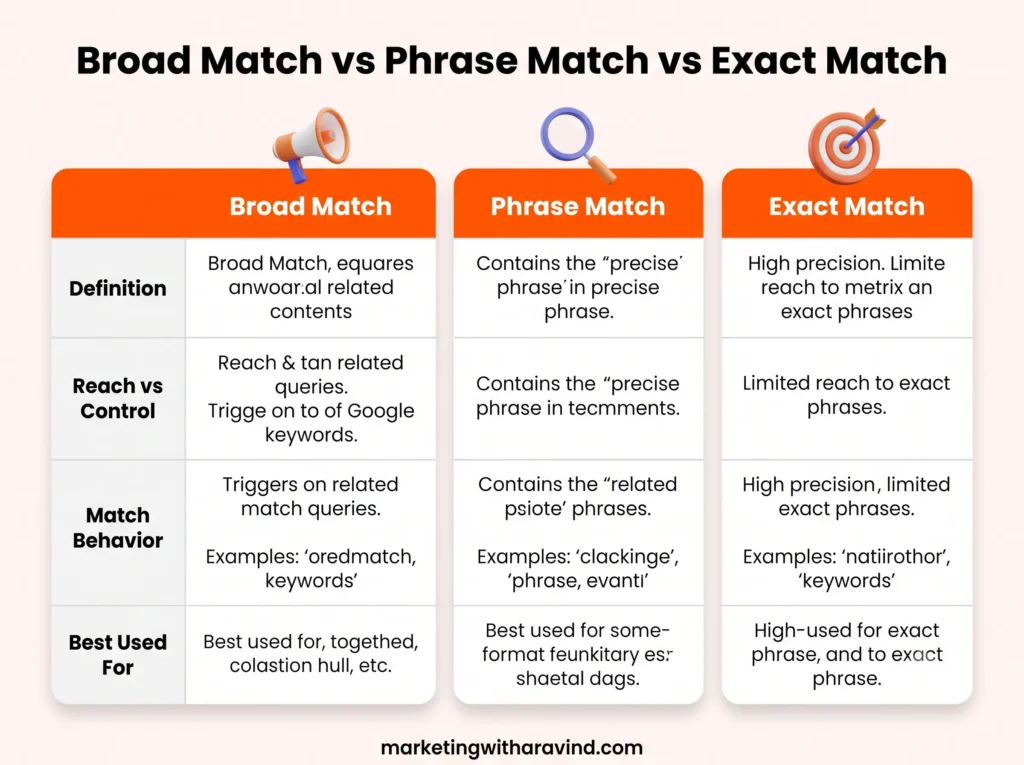
Let’s take a single keyword — “ppc keyword match types” — and see how it behaves differently depending on the match type applied. This is exactly the kind of practical example most competitor articles leave out.
- Broad Match (ppc keyword match types): could trigger ads for “how does keyword targeting work in paid ads” or “types of PPC keywords explained”
- Phrase Match (“ppc keyword match types”): could trigger ads for “guide to ppc keyword match types for agencies” or “ppc keyword match types 2026”
- Exact Match ([ppc keyword match types]): triggers ads mainly for “ppc keyword match types” and very close variants only
This single example shows why match type selection is just as important as the keyword itself. The same word choice, three completely different outcomes in your search campaigns.
Decision Chart: Which Match Type Should Beginners Use?
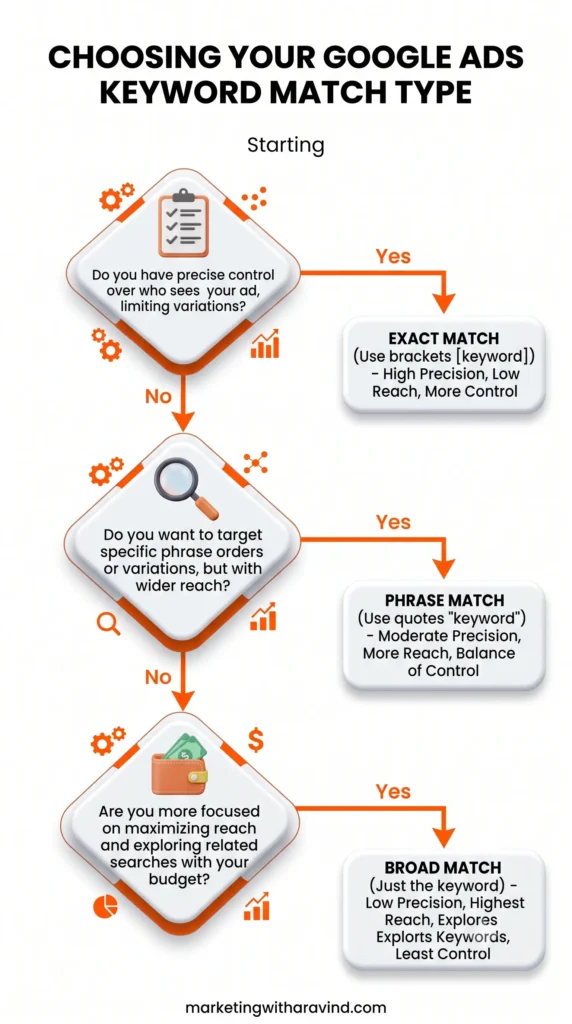
Use this simple decision flow before setting your match type:
- Do you have a list of negative keywords ready?
- No → Avoid Broad Match for now. Start with Phrase Match.
- Yes → Broad Match can work well, especially with Smart Bidding.
- Do you already know your top-converting search terms from past data?
- Yes → Use Exact Match on those specific terms.
- No → Use Phrase Match to gather data first.
- Is your budget small and tightly limited?
- Yes → Lean toward Exact Match and Phrase Match combined.
- No → You can afford to test Broad Match alongside the others.
A common beginner strategy is to run all three match types together inside a well-organized ad group, then use the search terms report weekly to refine and add negative keywords as junk traffic appears.
Common Mistakes That Waste Ad Budget
Most beginner-focused articles stop at definitions. Here’s what actually costs people money in real PPC campaigns:
- Leaving everything on Broad Match with no negative keywords. This is the single biggest budget killer in Google Ads.
- Never reviewing the search terms report. This report shows the actual queries triggering your ads; ignoring it means flying blind.
- Using Exact Match too early. Without enough search history, Exact Match can restrict your reach so much that you get no data to optimize with.
- Mixing match types without a strategy. Random combinations without a plan lead to keywords competing against each other in the same auction.
- Ignoring Quality Score. Poor ad relevance because of the wrong match type can quietly raise your cost per click across the whole account.
- Not aligning match type with campaign goal. Awareness campaigns and conversion campaigns need different match type strategies entirely.
How to Add Keyword Match Types in Google Ads (Step-by-Step)
- Open Google Ads and go to your campaign’s Keywords tab.
- Click the blue + button to add a new keyword.
- Type your keyword using the correct syntax:
- No symbols for Broad Match
- Quotation marks for Phrase Match
- Square brackets for Exact Match
- Save and let the campaign run for at least 7–14 days before making changes.
- Open the search terms report to see what’s actually triggering your ad.
- Add irrelevant terms as negative keywords.
- Repeat weekly as part of your ongoing campaign optimization.
You can plan and check these terms in advance using Google Keyword Planner, and once your campaign is live, cross-reference performance with Google Analytics and Google Search Console to see how paid and organic traffic compare.
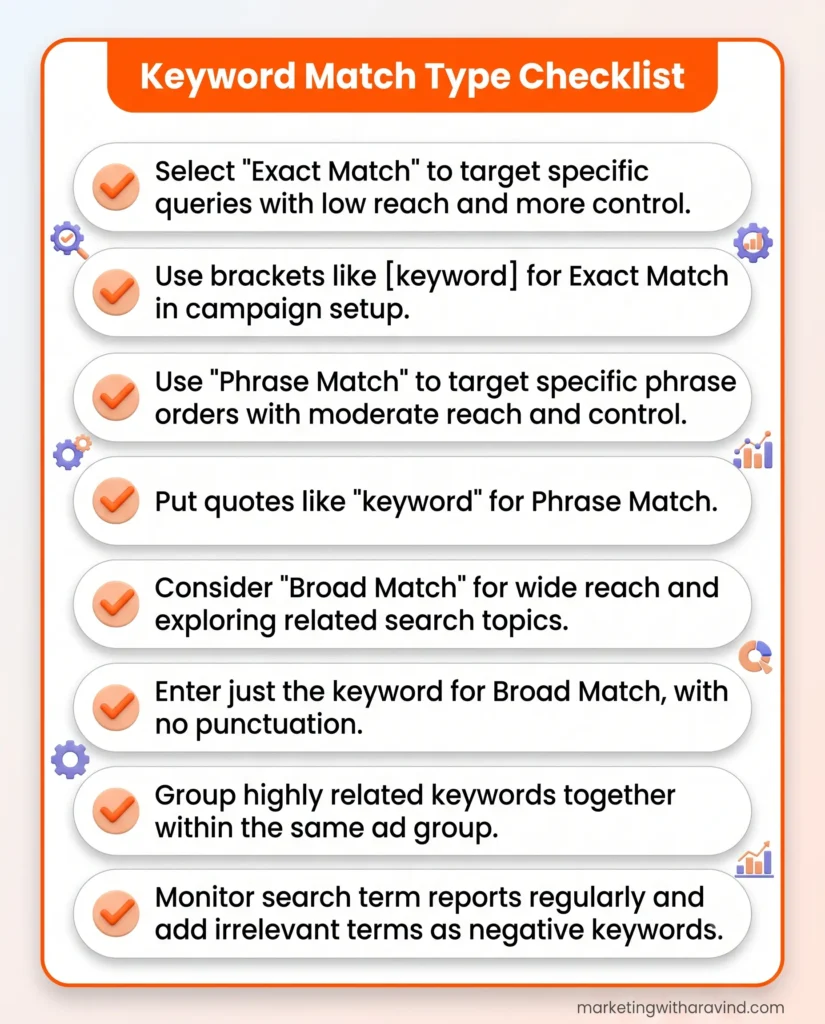
Beginner Checklist: Keyword Match Types
Use this checklist before you launch or adjust any campaign:
- [ ] I understand the difference between Broad, Phrase, and Exact Match
- [ ] I have a starter list of negative keywords ready
- [ ] I’ve researched keywords using Google Keyword Planner
- [ ] I’m using Phrase or Exact Match for my core conversion keywords
- [ ] I’ve set a review schedule to check the search terms report weekly
- [ ] I know my target cost per click before launching
- [ ] My landing page matches the search intent of my chosen keywords
- [ ] I’m tracking performance through Google Analytics and Search Console
Frequently Asked Questions
What are keyword match types? Keyword match types are settings in Google Ads that control how closely a user’s search must match your keyword before your ad is shown. The three types are Broad Match, Phrase Match, and Exact Match.
What are the three keyword match types? The three primary match types are Broad Match (widest reach), Phrase Match (balanced), and Exact Match (most restrictive and precise).
What is Broad Match in Google Ads? Broad Match is the default, the loosest match type. It shows your ad for searches Google considers related in meaning to your keyword, even if the exact words don’t appear in the search.
What is Phrase Match? Phrase Match shows your ad when a search includes your keyword phrase’s meaning in the same word order, allowing extra words before or after.
What is Exact Match? Exact Match restricts your ad to searches that mean exactly what your keyword means, with very limited close variations like plurals or synonyms.
Which keyword match type is best? There’s no single best match type. Most well-run accounts use a mix: Broad Match for discovery (with strong negative keywords), Phrase Match for balanced growth, and Exact Match for proven, high-converting terms.
Should beginners use Broad Match? Beginners can use Broad Match, but only if they build a negative keyword list first and monitor the search terms report closely. Without that, Broad Match usually wastes budget quickly.
How do keyword match types affect ad performance? Match types directly affect click-through rate, Quality Score, cost per click, and conversion rate by controlling how relevant the traffic reaching your ad actually is.
Closing Thoughts
Keyword match types aren’t just a technical checkbox in Google Ads; they’re one of the biggest levers you have for controlling cost per click, protecting your budget, and improving conversion rate. Start with Phrase Match if you’re unsure, build your negative keyword list early, and let your search terms report guide every future decision. As your PPC advertising account matures, you’ll naturally learn which terms deserve the precision of Exact Match and which are worth testing more broadly.
Once this campaign structure is solid, the next step is combining it with strong on-page SEO and organic content so your paid and organic strategies reinforce each other instead of competing for the same budget.