Mia runs a small online candle shop. She had $200 to spend on her first-ever Google Ads campaign, and exactly zero idea where to put it. A friend told her to “just run Search Ads.” Another friend swore by Display Ads for “getting her name out there.” Mia spent a weekend confused, scrolling through forums, until she finally understood the real difference between the two and which one actually fit her goal.
If you’re standing exactly where Mia was, this guide is for you. Before we go further, if you haven’t already, it’s worth starting with our PPC for beginners guide, which covers the basics of paid advertising and how PPC campaigns work from the ground up. Once you’re comfortable with that foundation, this article will help you make one of the most important early decisions in PPC: search ads vs display ads.
By the end of this guide, you’ll know exactly what each ad type does, when to use them, how much they typically cost, and how to decide which one (or both) is right for your business.
What Are Search Ads?
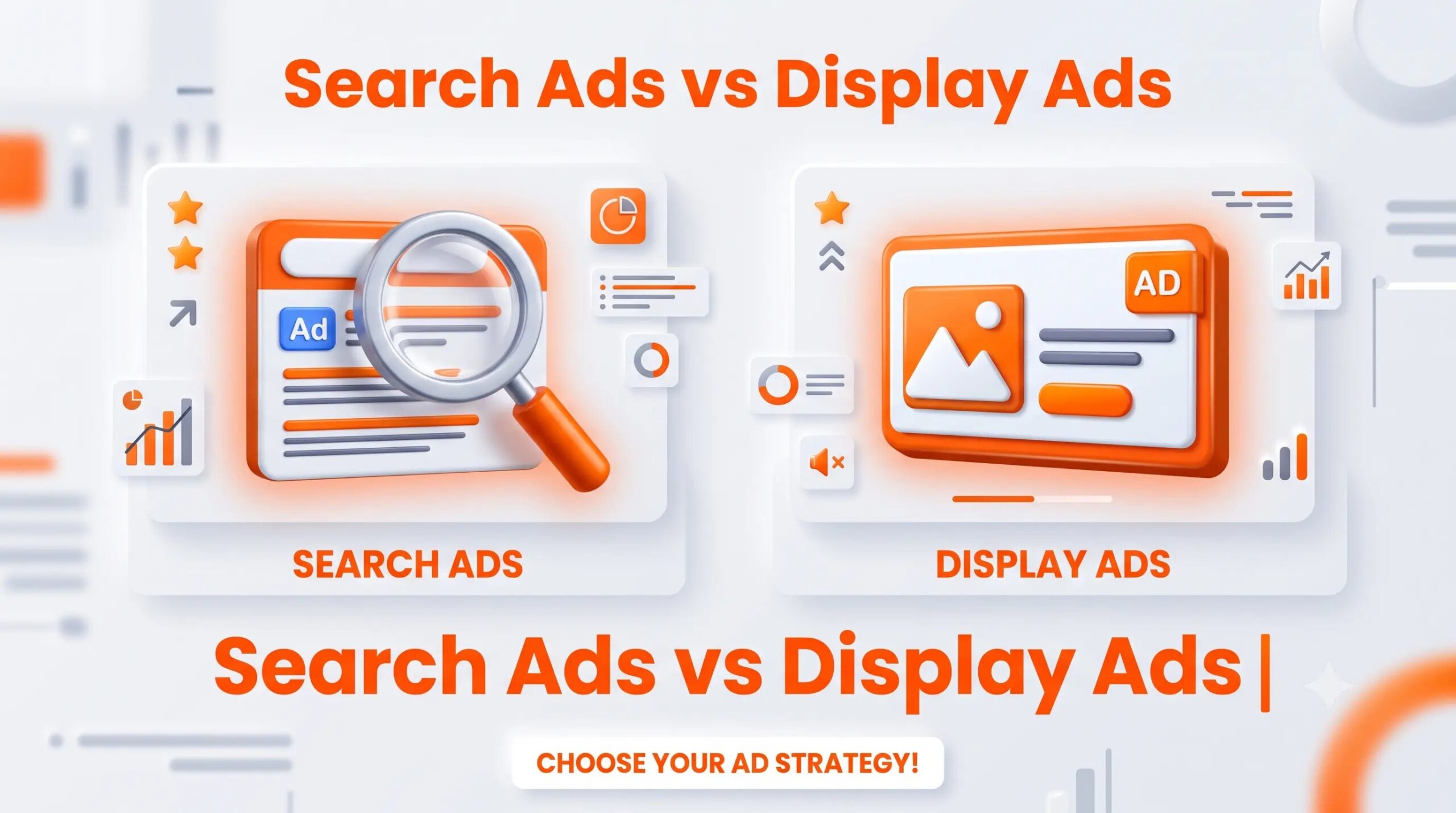
Search ads are the text-based ads you see at the top of Google search results when you type something in. They show up because someone is actively searching for a product, service, or answer right now.
For example, if someone types “buy scented candles online,” a search ad for Mia’s shop could appear right above the organic results. This is called paid search, and it works on Google’s Search Network.
Search ads are powerful because they catch people at the exact moment of intent. The person isn’t just browsing; they’re looking for something specific, which often means they’re closer to making a decision or a purchase.
What Are Display Ads?
Display ads are the visual, banner-style ads you see while browsing websites, using apps, or watching YouTube videos. Instead of appearing because someone searched for something, display ads appear based on the websites people visit, their interests, or their past browsing behavior.
These ads run on the Google Display Network, which includes millions of websites, apps, and YouTube itself. Display ads can include images, animations, or responsive display ads that automatically adjust their size and format to fit different placements.
Unlike search ads, display ads don’t rely on search intent. They rely on audience targeting, showing your ad to the right type of person, even if they aren’t actively looking for what you sell at that exact moment.
Search Ads vs Display Ads: Side-by-Side Comparison
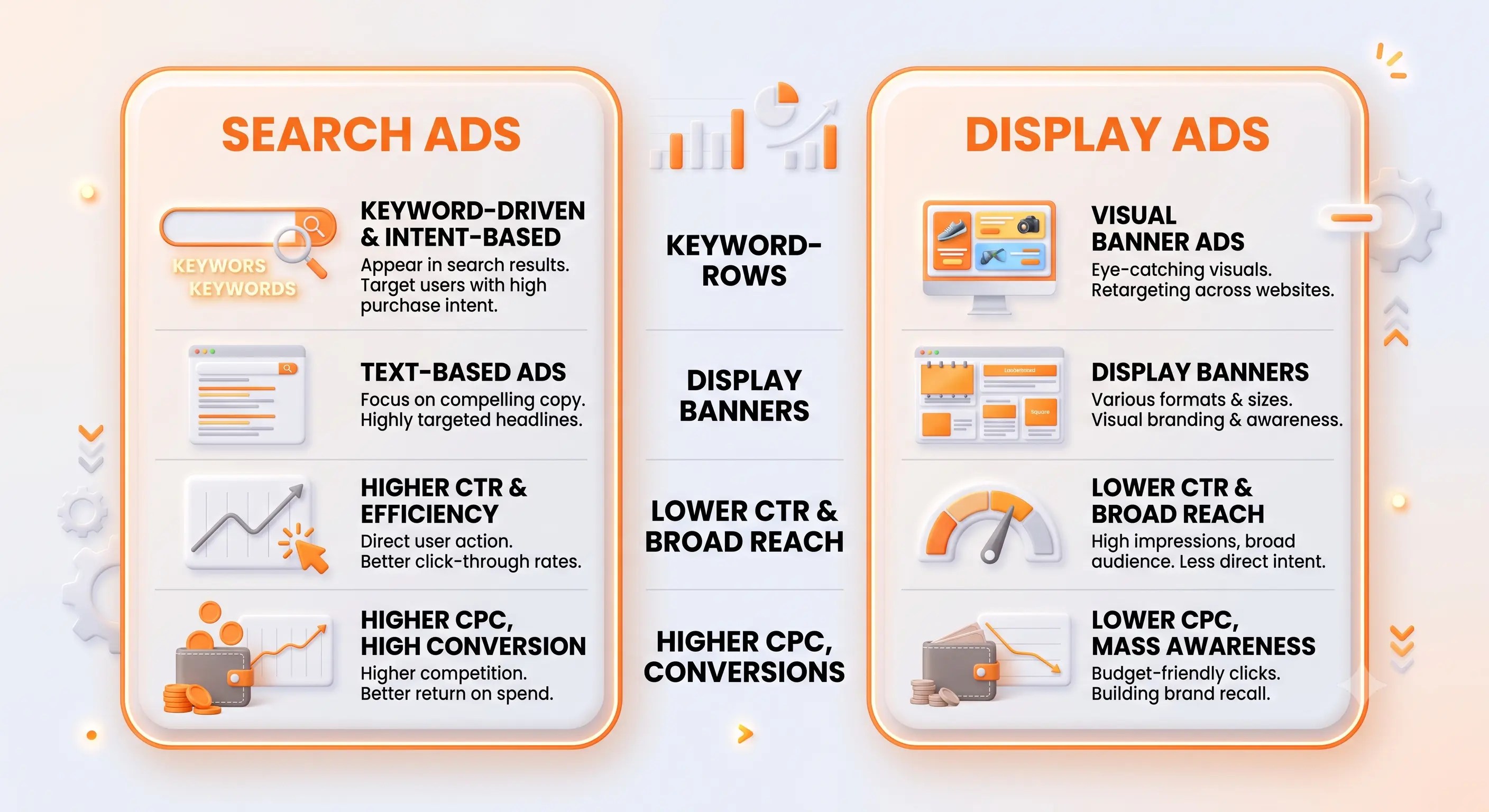
| Feature | Search Ads | Display Ads |
| Intent | High (active searchers) | Medium to low (passive viewers) |
| Format | Text-based | Images, banners, responsive ads |
| Best For | Leads and sales | Brand awareness |
| Targeting | Keywords | Audience and interests |
| Placement | Search results pages | Websites, apps, YouTube |
| Click-through rate (CTR) | Generally higher | Generally lower |
| Cost per click (CPC) | Usually higher | Usually lower |
This table alone answers the most common question beginners ask: “Which is better, search ads or display ads?” The honest answer is, it depends on what stage of the customer journey you’re trying to reach.
When Should You Use Search Ads?
Search ads work best when:
- You want immediate leads or sales
- Your product solves a problem people are actively searching for
- You’re running limited-time offers or promotions
- You want to capture high-intent, ready-to-buy traffic
Real example: A freelance accountant offering “tax filing services” would benefit hugely from search ads, because people typing that phrase into Google are usually ready to hire someone right away.
When Should You Use Display Ads?
Display ads work best when:
- You’re building brand awareness for a new business
- You want to stay visible to people who have already visited your website (remarketing)
- You’re launching a new product that people don’t know to search for yet
- You want a lower cost per click while reaching a wider audience
Real example: A new skincare brand with no existing audience could use display ads to introduce its product visually to people interested in beauty and wellness, even before those people start searching for skincare products by name.
A Simple Decision Tree
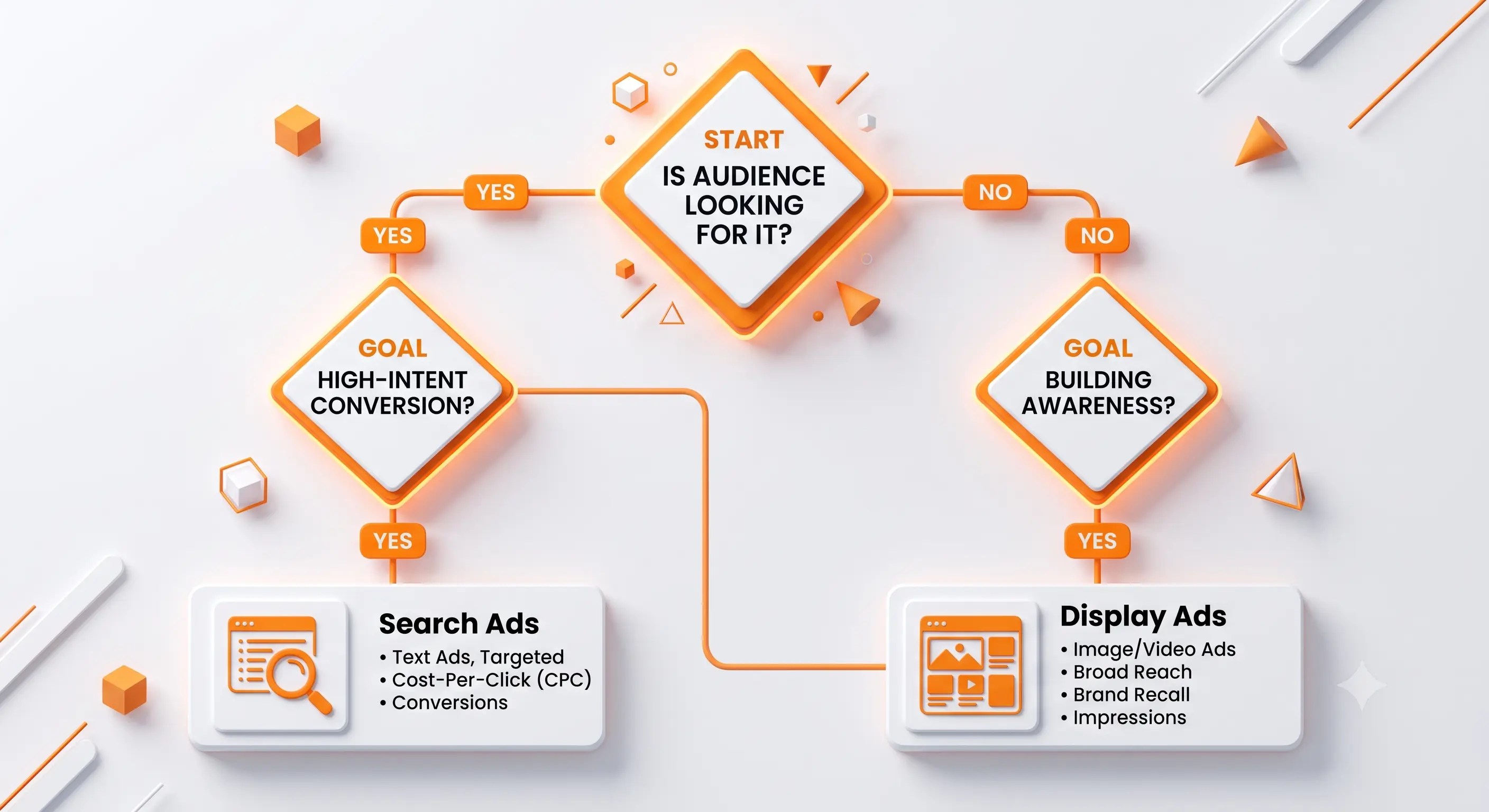
If you’re still unsure which format fits your situation, walk through this:
- Are people already searching for what you sell? → Start with Search Ads.
- Are you trying to introduce a new product or brand? → Start with Display Ads.
- Did someone visit your site but leave without buying? → Use Display Ads for remarketing.
- Do you have a budget for both? → Run Search Ads for conversions and Display Ads for visibility and remarketing together.
Most growing businesses eventually use both formats, just at different stages of the customer journey.
Cost Comparison: Search Ads vs Display Ads
Search ads usually have a higher cost per click because you’re competing for people with strong buying intent. Display ads tend to be cheaper per click since the audience is broader and less immediately ready to convert.
Here’s a simple way to think about your budget as a beginner:
| Budget Goal | Recommended Format |
| Quick leads or sales | Search Ads |
| Brand visibility on a small budget | Display Ads |
| Re-engaging past website visitors | Display Ads (remarketing) |
| Competing in a high-demand niche | Search Ads |
If you’re just getting started and want to understand bidding, budgets, and campaign basics in more depth, our Google Ads basics guide breaks this down step by step.
Search Network vs Display Network: What’s the Real Difference?
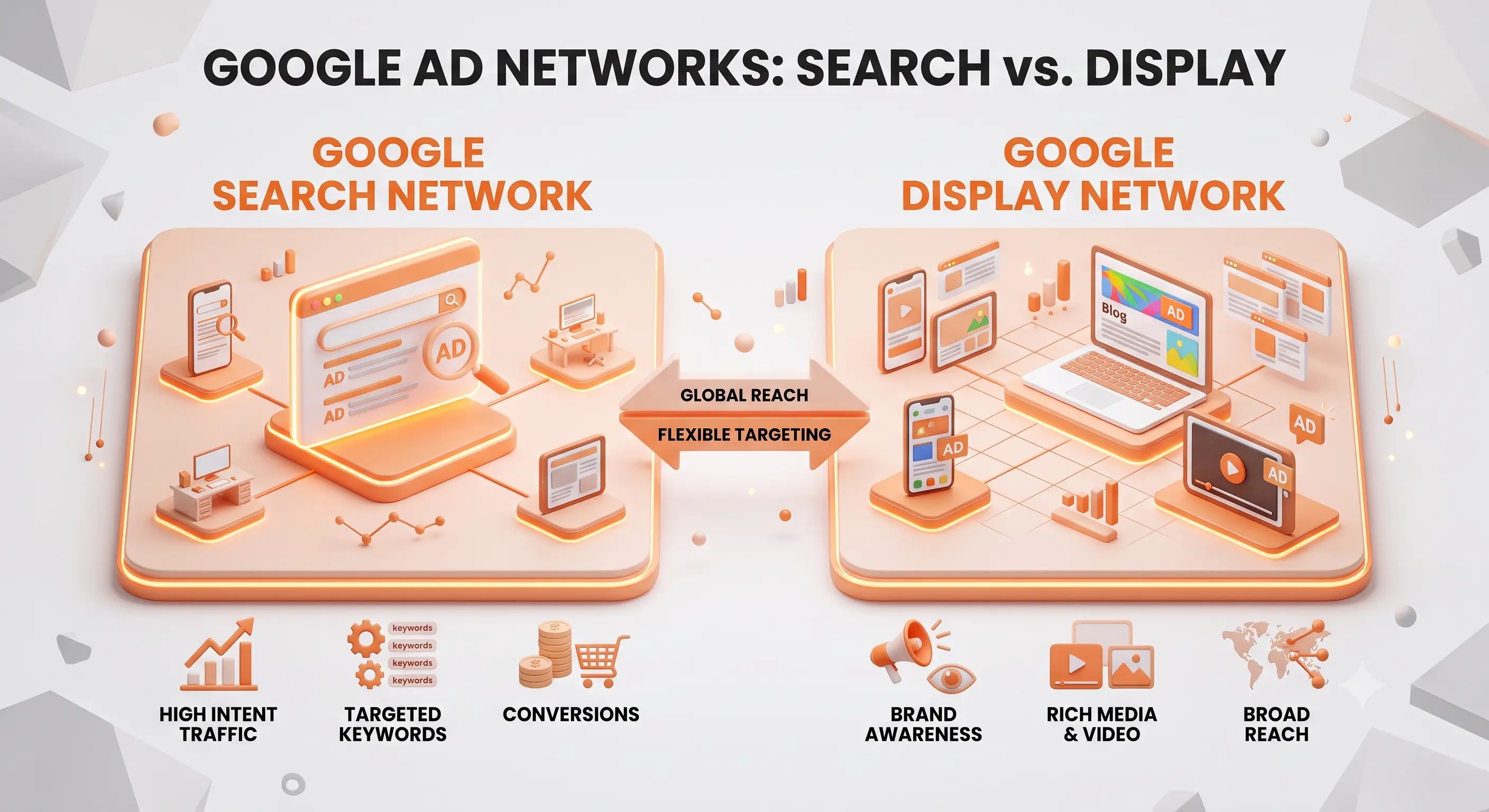
It helps to think of these as two different “neighborhoods” inside Google Ads:
- The Search Network is where your ad shows up directly inside Google search results, based on what someone types.
- The Display Network is where your ad shows up on third-party websites, apps, and YouTube, based on who the person is and what they’re interested in.
You can technically run a campaign across both networks, but most beginners get better results keeping these as separate campaigns with separate goals, since the strategy behind each is so different.
Search Ads vs Display Ads for Small Business: A Practical Approach
If you’re a small business owner with a limited budget, here’s a beginner-friendly approach:
- Start with a small Search Ads campaign targeting 5-10 highly relevant keywords
- Set a daily budget you’re comfortable testing with, even as low as $5-10/day
- Track which keywords bring in actual leads or sales
- Once you have traffic coming to your site, set up a Display remarketing campaign to bring back visitors who didn’t convert the first time
- Gradually increase the budget on whichever format is performing better for your specific goal
This way, you’re not guessing; you’re letting real data guide where your next dollar goes.
Checklist: Choosing Between Search Ads and Display Ads
- I know whether my goal is immediate sales or long-term brand awareness
- I understand my audience’s search behavior around my product
- I’ve checked whether my product is something people actively search for
- I’ve set a realistic daily budget for testing
- I’ve considered remarketing for people who have already visited my site
- I know I can run both formats once I understand what each one does
- I’m tracking results using Google Analytics for conversion tracking
Frequently Asked Questions
1. What is the difference between search ads and display ads?
Search ads are text ads shown to people actively searching on Google, while display ads are visual ads shown to people browsing websites, apps, or YouTube based on their interests.
2. Which is better, search ads or display ads?
Neither is universally “better.” Search ads work best for immediate leads and sales, while display ads work best for brand awareness and staying visible to past visitors.
3. Are search ads more effective than display ads?
Search ads typically have a higher click-through rate and conversion rate because they target people with active intent, but display ads are more cost-effective for reaching a wider audience.
4. When should I use display ads?
Use display ads when you want to build brand awareness, launch a new product, or remarket to people who have already visited your website without converting.
5. Are display ads cheaper than search ads?
Yes, in most cases. Display ads usually have a lower cost per click since the audience isn’t actively searching with high buying intent.
6. Can I use both search and display ads together?
Absolutely. Many successful campaigns use search ads to capture ready-to-buy customers and display ads to build awareness and remarket to past visitors.
7. What are responsive display ads?
Responsive display ads automatically adjust their size, format, and appearance to fit different ad spaces across the Google Display Network, saving you time on creating multiple ad versions.