Introduction
If you’ve ever asked yourself what WordPress is, you’re not alone, it’s one of the most searched questions by anyone starting their first website. In simple words, WordPress is a free, beginner-friendly tool that lets you build and manage a website without writing a single line of code. This guide is part of our Complete WordPress Guide for Beginners, where we break down everything from installation to going live. By the end of this article, you’ll understand exactly what WordPress is, how it works, and why nearly half the internet runs on it.
What Is WordPress? (Simple Definition)
WordPress is a free, open-source content management system (CMS), a website builder for beginners that lets you create, edit, and publish content without touching code. Think of WordPress as the engine behind your website. You type your content into a simple editor (similar to using Microsoft Word), click “Publish,” and your website goes live for the world to see.
Here’s the easiest way to picture it: imagine your website is a house. WordPress is the foundation, walls, and wiring that holds everything together. Your theme decides how the house looks (the paint, the furniture, the interior design). Your plugins are the extra features you add. A security alarm, a garden, a swimming pool. And you, the website owner, get to decorate and manage the whole house without needing to be a contractor or an electrician.
Originally launched in 2003 as a simple blogging tool, WordPress has grown into the world’s most popular website-building platform. As of 2026, WordPress powers roughly 42–43% of all websites on the internet, and around 60% of all websites that use a known CMS, making it more widely used than every other content management system combined.
How Does WordPress Work?
Understanding how WordPress works is easier when you break it into three simple parts:
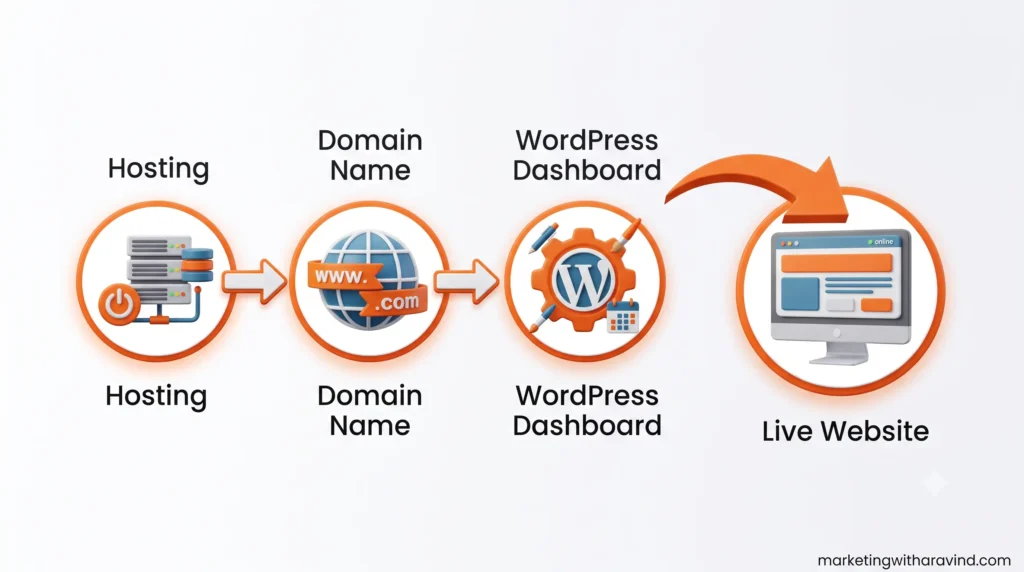
- Web Hosting – This is the “land” your website sits on. A hosting company (like Hostinger) stores all your website’s files on a server so people can access your site anytime.
- Domain Name – This is your website’s address (for example, marketingwitharavind.com). It’s what people type into their browser to find you.
- WordPress Software – This is installed on top of your hosting. It gives you a dashboard, a control panel, where you write posts, create pages, upload images, and customize your site’s design, all through a simple visual interface.
When someone visits your website, WordPress pulls together your content, theme, and plugins in real time and displays them as a finished web page. You never have to write HTML or CSS to make this happen, WordPress handles it in the background.
WordPress.org vs WordPress.com: What’s the Difference?
This is one of the most confusing parts for beginners, so let’s clear it up with a simple comparison.
| Feature | WordPress.org (Self-Hosted) | WordPress.com (Hosted) |
| Cost | Free software, but you pay for hosting & domain | Free plan available, paid plans for more features |
| Ownership | You fully own your website and data | WordPress.com has more control over your site |
| Customization | Unlimited themes & plugins | Limited on free/lower-tier plans |
| Monetization (Ads, Affiliate) | Fully allowed | Restricted on free plans |
| Technical Setup | You choose your own host (e.g., Hostinger) | Hosting is included automatically |
| Best For | Bloggers, businesses, freelancers who want full control | Hobby bloggers who want the simplest setup |
| Coding Needed | No coding required, but more customization options | No coding required, very limited options |
In short: WordPress.org is the self-hosted, fully customizable version most professional bloggers and businesses use (this is what powers marketingwitharavind.com). WordPress.com is a simplified, hosted version best suited for casual hobby blogs. If you’re serious about building a brand, WordPress.org is almost always the better long-term choice.
Why Is WordPress So Popular?
There are a few clear reasons why WordPress has stayed the world’s leading website builder for over two decades:
- It’s free and open-source – the core software costs nothing, and thousands of developers around the world constantly improve it.
- It’s beginner-friendly – you don’t need coding skills to build a professional-looking website.
- It’s flexible – WordPress can power a personal blog, a business website, an online store, a portfolio, or even a large news publication.
- Massive plugin ecosystem – there are tens of thousands of plugins that add features like SEO tools, contact forms, and online payments with a few clicks.
- SEO-friendly by design – WordPress creates clean website code that search engines like Google can easily understand, and with plugins like Rank Math SEO, on-page optimization becomes simple even for beginners.
- Huge global community – if you ever get stuck, there are millions of tutorials, forums, and free resources available.
What Is WordPress Used For?
A common question beginners ask is “what is WordPress used for?” and the honest answer is: almost anything. Here are some real-world examples of what you can build with WordPress:
- Personal blogs – Share your thoughts, hobbies, or expertise (like this very blog).
- Business websites – A digital storefront for a local shop, agency, or consultant.
- Online stores (eCommerce) – Using a plugin called WooCommerce, you can sell physical or digital products directly from your WordPress site.
- Portfolios – Photographers, designers, and freelancers showcase their work.
- Membership sites – Offer gated content or paid courses to subscribers.
- News and magazine websites – Many major publications run on WordPress because it handles high volumes of content well.
- Nonprofit and community websites – Simple to set up and maintain without a large tech team.
Well-known brands and platforms, including TechCrunch and TED, have used WordPress at various points, which shows it scales from small beginner blogs all the way up to enterprise-level websites.
Do You Need Coding Skills to Use WordPress?
No, and this is one of the biggest reasons WordPress is loved by beginners. WordPress’s built-in Gutenberg editor uses a “block” system. You simply add blocks for text, images, buttons, or videos and arrange them the way you like, very similar to building a page in a document editor. No HTML, no CSS, no PHP required for everyday use.
That said, if you do know a little code, WordPress rewards you with even more flexibility, you can customize themes, build custom plugins, or fine-tune functionality. But for 95% of beginners, freelancers, and small business owners, zero coding knowledge is needed to launch a fully functional, professional website.
Understanding the WordPress Dashboard
Once WordPress is installed, you’ll log into your dashboard, your website’s control room. Here’s what a beginner will typically see and use:
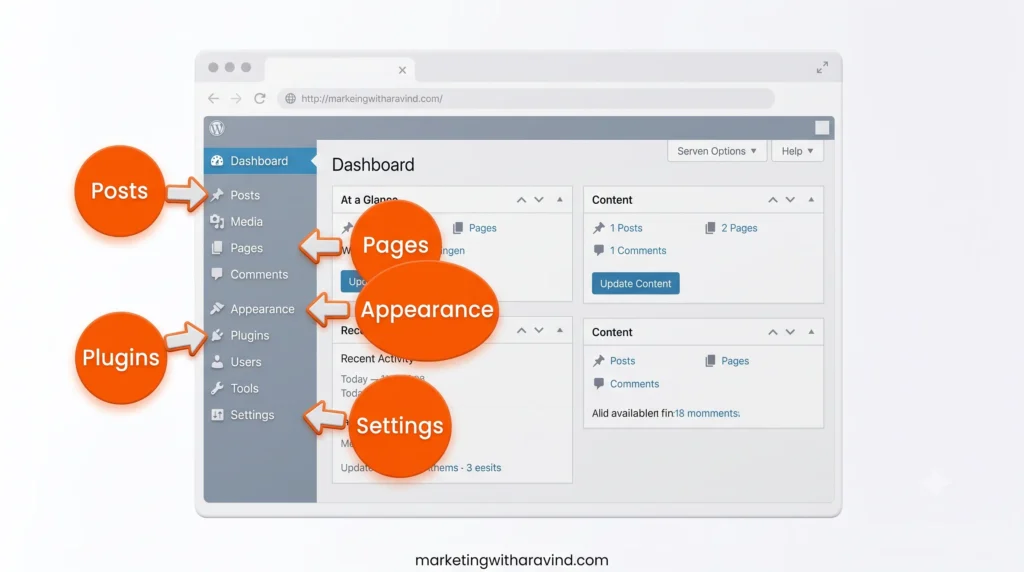
- Posts – Where you write and publish blog articles.
- Pages – Where you create static pages like Home, About, and Contact.
- Media Library – Where all your uploaded images and files are stored.
- Appearance – Where you manage your theme, menus, and site design (this is where Kadence theme settings live).
- Plugins – Where you install and manage add-on tools like Rank Math SEO or WPForms.
- Comments – Where you moderate reader comments on your posts.
- Settings – Where you configure your site title, permalinks (URL structure), and reading preferences.
Getting comfortable with these six sections is really all a beginner needs to start publishing content confidently.
WordPress Themes and Plugins Explained
Two words you’ll hear constantly in the WordPress world are themes and plugins. Here’s the simplest way to understand them:
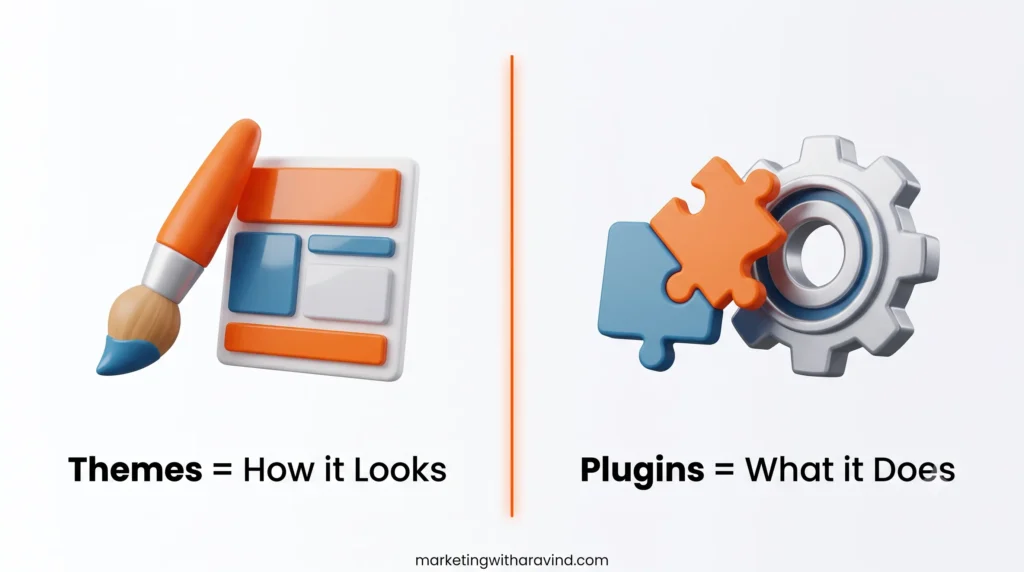
Themes control how your website looks fonts, colors, layout, and design. A good beginner-friendly, SEO-optimized theme (like Kadence, which we use here) gives you a clean, fast, and customizable foundation without needing a page builder like Elementor.
Plugins control what your website does. Think of plugins as apps for your website:
- Rank Math SEO – Helps optimize your content so it ranks better on Google.
- WPForms – Lets visitors contact you through a form.
- UpdraftPlus – Automatically backs up your website.
- Site Kit by Google – Connects Google Analytics and Search Console directly to your dashboard.
- WooCommerce – Turns your WordPress site into a fully functional online store.
You install both themes and plugins with a few clicks no coding, no complicated setup.
WordPress and SEO: A Natural Advantage
One reason WordPress is so widely recommended for beginners building a long-term brand is how well it works with search engine optimization. WordPress automatically generates clean, crawlable website code, supports custom URL structures (permalinks), and integrates with SEO plugins like Rank Math to help you optimize titles, meta descriptions, and readability — all from the same screen where you write your content.
If you’re new to this topic, our guide on SEO foundations for beginners and on-page SEO basics will help you understand exactly how to make each WordPress post Google-friendly from day one.
Is WordPress Free?
The WordPress software itself is 100% free, that’s the beauty of open-source software. However, to run a self-hosted WordPress website (WordPress.org), you will need two paid pieces:
- Web hosting (where your website’s files live, for example, Hostinger Premium)
- A domain name (your website address, for example, marketingwitharavind.com)
Combined, these usually cost a beginner a few dollars a month — a small investment for owning a fully professional, customizable website you control completely.
Website Security and Website Management
Because WordPress is so widely used, it’s also a common target for attacks, so basic website security matters. As a beginner, focus on these fundamentals:
- Keep WordPress core, themes, and plugins updated
- Use a security plugin or your host’s built-in protection
- Set up regular backups (UpdraftPlus is a solid free option)
- Use strong, unique passwords for your dashboard login
Good website management isn’t complicated, it just needs a little consistency.
Who Should Use WordPress?
WordPress is a great fit for:
- Beginners who want to learn website building without coding
- Freelancers who want a professional portfolio or personal brand site
- Small business owners who need an affordable, flexible website
- Bloggers building long-term, SEO-driven content platforms
- Students learning digital marketing, web design, or content creation
If you fall into any of these categories, WordPress is very likely the right platform for you, which is exactly why we chose it to build this blog.
WordPress Beginner Checklist
Use this simple checklist before you start building your own WordPress website:
- [ ] Choose reliable web hosting (e.g., Hostinger)
- [ ] Register your domain name
- [ ] Install WordPress (most hosts offer 1-click installation)
- [ ] Choose a lightweight, SEO-friendly theme (like Kadence)
- [ ] Install essential plugins: SEO (Rank Math), forms (WPForms), backups (UpdraftPlus)
- [ ] Create your core pages: Home, About, Blog, Contact, Privacy Policy
- [ ] Set up Google Analytics and Google Search Console
- [ ] Customize your permalink structure for SEO-friendly URLs
- [ ] Design your homepage and navigation menu
- [ ] Publish your first blog post
Frequently Asked Questions About WordPress
What is WordPress?
WordPress is a free, open-source content management system (CMS) that lets you build and manage a website without needing to write code.
How does WordPress work?
WordPress combines web hosting, a domain name, and its own software to give you a dashboard where you can create pages, write blog posts, and customize your website’s design and features.
Is WordPress free?
The WordPress software is free to download and use. You only pay for hosting and a domain name to make your website live on the internet.
Why is WordPress popular?
WordPress is popular because it’s free, beginner-friendly, highly customizable, SEO-friendly, and supported by a massive global community of developers and users.
What is WordPress used for?
WordPress is used to build blogs, business websites, online stores, portfolios, membership sites, and even large news publications.
Who should use WordPress?
WordPress is ideal for beginners, freelancers, small business owners, bloggers, and students who want an affordable, flexible, no-code website solution.
Do I need coding for WordPress?
No. WordPress’s Gutenberg block editor lets you build pages visually. Basic coding knowledge is helpful for advanced customization but isn’t required for beginners.
What websites can be built with WordPress?
You can build blogs, business sites, eCommerce stores (with WooCommerce), portfolios, membership platforms, and more using WordPress.
What is the difference between WordPress.org and WordPress.com?
WordPress.org is free, self-hosted software that gives you full ownership and customization control. WordPress.com is a hosted service with easier setup but more limitations, especially on free plans.
Final Thoughts: Your Next Step
By now, you should have a clear, beginner-friendly answer to “what is WordPress”. A free, flexible, no-code content management system that powers nearly half the internet. Whether you’re a student, freelancer, or small business owner, WordPress gives you full ownership of your website without needing a developer.