Introduction: How a Beginner Runs Their First Google Ad
Let me tell you a story.
A small bakery owner in Coimbatore wanted more customers. She had no marketing budget, no agency, and zero experience with paid advertising.
She opened Google Ads, set a budget of ₹500 per day, wrote a simple ad — “Fresh Cakes Delivered in Coimbatore — Order Now” — and targeted people searching for “birthday cakes near me.”
Within 3 days, she had 47 new orders.
That right there? That’s PPC advertising in action.
And here’s the truth: PPC is not just for big corporations with massive budgets. It’s for beginners, small businesses, bloggers, and anyone who wants to drive paid traffic to their website fast.
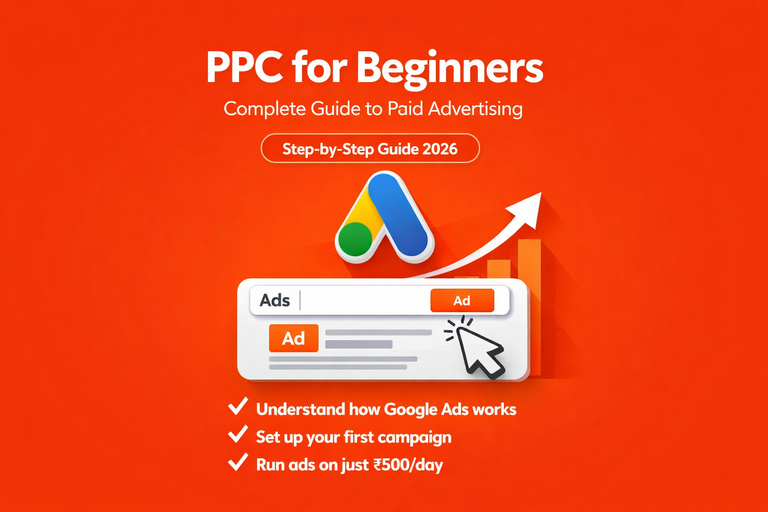
In this complete beginner PPC guide, I’m going to walk you through everything. What PPC is, how it works, how to set up your first campaign, and exactly how to get results without wasting your budget.
Just real, practical knowledge written for YOU.
What Is PPC Marketing? (Explained Simply)
PPC stands for Pay-Per-Click — a model of paid advertising where you only pay when someone actually clicks your ad.
That’s the beauty of PPC. Unlike traditional advertising, where you pay just to show your ad, with PPC, you only pay when someone is interested enough to click.
Think about it this way:
- You create an ad
- Google or Facebook shows it to your target audience
- Someone sees your ad and clicks it
- They land on your website
- You pay only for that click — not for the thousands of people who saw it
Simple definition: PPC = paid advertising where you bid for ad placement and pay only when someone clicks your ad. It puts your website at the top of search results instantly.
The key difference from SEO? PPC gets you traffic immediately. SEO takes months. PPC can get you visitors within hours of launching your first campaign.
How Does PPC Work? (The Simple Version)
Before we dive into the PPC tutorial for beginners, let me explain how PPC actually works
The PPC Auction System

Every time someone searches on Google, an auction happens in milliseconds. Here’s how it works:
Step 1 — You create an ad and choose keywords you want to target
Step 2 — You set a maximum CPC (Cost Per Click), the most you’re willing to pay for one click
Step 3 — When someone searches your keyword, Google runs an instant auction
Step 4 — Google calculates your Quality Score, a rating of how relevant your ad and landing page are
Step 5 — The winner of the auction gets their ad shown at the top of the results
Important: The highest bidder doesn’t always win. Google rewards relevance over money. A well-written ad with a high Quality Score can beat a bigger budget with a poor ad.
What Is Quality Score?
Quality Score is Google’s rating (1–10) of how relevant your:
- Ad copy is for the keyword
- The landing page is for the ad
- The expected click-through rate is compared to others
Higher Quality Score = lower cost per click = better ad position.
This means a beginner with a well-optimised ad can beat a big company spending 10x more purely through relevance.
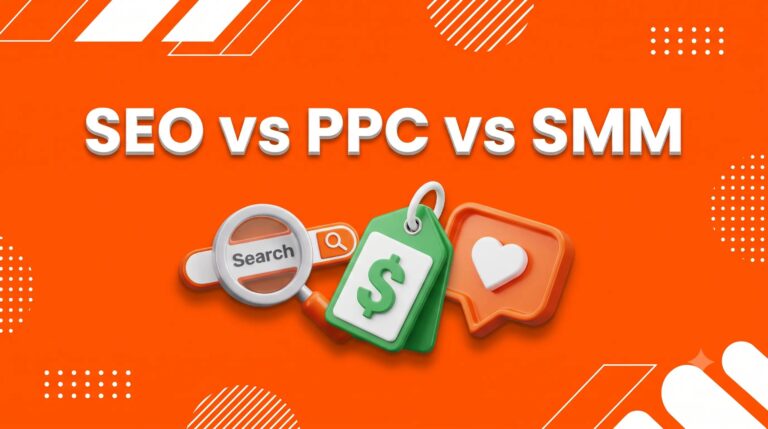
PPC vs SEO — What’s the Difference?
This is one of the most common questions beginners ask — so let’s clear it up properly.
| PPC | SEO | |
| Results | Immediate — within hours | Slow — 3–6 months |
| Cost | Pay per click | Free (time investment) |
| Traffic | Stops when the budget runs out | Continues long-term |
| Best for | Quick results, product launches | Long-term organic growth |
| Difficulty | Moderate — learnable | Moderate — learnable |
| Control | Full control over targeting | Limited control |
The smart approach: Use SEO for long-term organic traffic and PPC for immediate results. They work best together, not against each other.
For a beginner blogger like you, start with SEO first and add PPC later when you have a budget to test with.
PPC Platforms — Which One Is Best for Beginners?
There are several PPC platforms available in 2026. Let me break down the main ones so you can choose the right starting point.
1. Google Ads — Best Overall for Beginners
What it is: Ads that appear at the top of Google search results when people search for your keywords.
Why it’s the best starting point:
- Reaches people who are ACTIVELY searching for what you offer
- High purchase intent, people searching “buy birthday cake Coimbatore” are ready to buy
- Most beginner-friendly interface with guided campaign setup
- Works for any niche or budget
Best for: Driving traffic to your blog, promoting products, and generating leads
Minimum budget to start: ₹500–₹1000 per day
2. Meta Ads (Facebook + Instagram Ads) — Best for Audience Targeting
What it is: Ads that appear in Facebook and Instagram feeds, stories, and reels.
Why beginners love it:
- Incredibly detailed audience targeting — age, location, interests, behaviors
- Visual ads — great for products, services, and brand awareness
- Lower CPC than Google Ads for most niches
- Remarketing capabilities — target people who have already visited your website
Best for: Brand awareness, e-commerce, lead generation, growing social media followers
Minimum budget to start: ₹300–₹500 per day
3. Microsoft Ads — Best for Lower Competition
What it is: Ads on the Bing search engine — similar to Google Ads but with less competition.
Why beginners like it:
- Much lower CPC than Google Ads
- Less competition = easier to rank
- Same interface as Google Ads — easy to learn
- Good for B2B audiences
Best for: Beginners wanting a lower cost per click
4. YouTube Ads — Best for Video Content
What it is: Video ads that play before or during YouTube videos.
Why it works:
- Massive reach — YouTube has 2+ billion users
- Skippable ads — you only pay if someone watches for 30+ seconds
- Great for brand awareness and product demonstrations
Best for: Video content creators, product demos, brand awareness
Which PPC Platform Should YOU Start With?
As a digital marketing beginner, start with Google Ads.
It’s the most beginner-friendly, has the highest purchase intent, and gives you the best learning foundation. Once you understand Google Ads, every other PPC platform becomes much easier to learn.
PPC Metrics Every Beginner Must Know

Before you spend a single rupee on PPC, you need to understand these key metrics. Don’t worry, I’ll explain each one simply.
CPC (Cost Per Click)
The amount you pay every time someone clicks your ad.
Example: If your CPC is ₹10 and 100 people click your ad, you pay ₹1,000.
CTR (Click-Through Rate)
The percentage of people who see your ad and click on it.
Formula: Clicks ÷ Impressions × 100
Example: 50 clicks ÷ 1000 impressions × 100 = 5% CTR
A good CTR for search ads is 3–5%. Above 5% is excellent.
Impressions
The number of times your ad is shown to people, whether they click or not.
Conversion Rate
The percentage of people who click your ad AND take the desired action (buy, sign up, fill a form).
Formula: Conversions ÷ Clicks × 100
Example: 5 sales ÷ 100 clicks × 100 = 5% conversion rate
Quality Score
Google’s 1–10 rating of your ad relevance. Higher score = lower CPC + better position.
ROI (Return on Investment)
How much money do you make compared to how much you spend on ads?
Formula: (Revenue – Ad Spend) ÷ Ad Spend × 100
Example: ₹5,000 revenue – ₹1,000 ad spend ÷ ₹1,000 × 100 = 400% ROI
Ad Budget
The total amount you’re willing to spend on your PPC campaign per day or per month.
Beginner tip: Start with a small daily budget of ₹500–₹1,000. Test what works. Then scale what performs well.
How to Set Up Your First PPC Campaign — Step by Step
Okay, here’s the practical part you’ve been waiting for. This is your PPC campaign setup for beginners, exactly what to do, in what order.
Step 1 — Define Your Goal
Before touching Google Ads, ask yourself: What do I want this campaign to achieve?
Common PPC goals for beginners:
- Drive traffic to my blog post
- Get people to sign up for my email newsletter
- Generate leads for my service
- Sell a product
Your goal determines everything: your keywords, your ad copy, your landing page, and your budget.
Step 2 — Choose Your Keywords
Keyword targeting is the heart of PPC. You’re choosing the exact search terms that will trigger your ads.
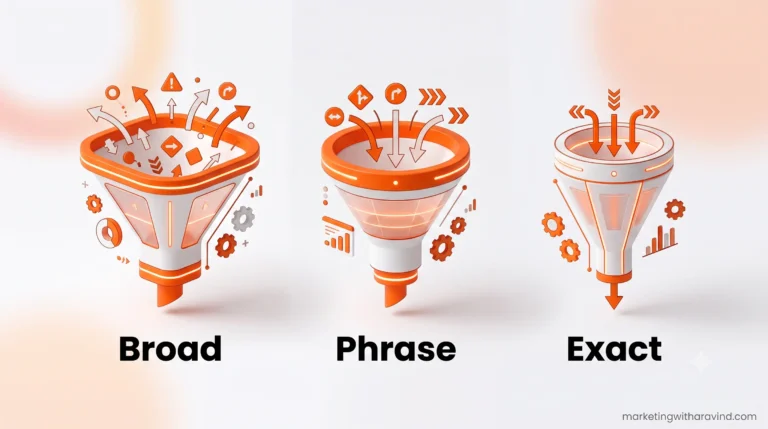
Types of keywords in Google Ads:
Broad Match — your ad shows for any search related to your keyword
- Keyword: digital marketing
- Ad shows for: “learn marketing online”, “digital marketing course India.”
Phrase Match — your ad shows for searches that include your exact phrase
- Keyword: “PPC for beginners.”
- Ad shows for: “best PPC for beginners”, “PPC for beginners guide.”
Exact Match — your ad shows only for that exact search
- Keyword: [PPC for beginners]
- Ad shows only for: “PPC for beginners.”
For beginners: Start with Phrase Match. It gives you control without being too restrictive.
Negative Keywords — these are searches you DON’T want to trigger your ad.
Example: If you’re selling premium cakes, add “free” as a negative keyword so people searching “free cakes” don’t click your ad and waste your budget.
Step 3 — Write Your Ad Copy
Your ad copy is what people read before deciding to click. A great ad has 3 parts:
Headline (30 characters max) This is the blue clickable text in Google results. Make it match the search intent exactly.
✅ “PPC Guide for Beginners 2026.”
✅ “Learn Google Ads from Scratch”
❌ “Click Here for Marketing Tips.”
Description (90 characters max) This is the text below the headline. Use it to highlight your benefit and add a clear CTA.
✅ “Learn how to run your first Google Ad with a ₹500 budget. Step-by-step beginner guide. Free!”
❌ “We provide the best digital marketing content on the internet.”
Display URL: The URL shown in the ad — make it clean and relevant. ✅
marketingwitharavind.com/
The 3 rules of great ad copy:
- Match the keyword — if someone searches “PPC for beginners,” your headline should say “PPC for Beginners”
- Highlight the benefit — what’s in it for them?
- Have a clear CTA — “Learn Now”, “Read the Guide,”, “Get Started Today.”
Step 4 — Create Your Landing Page
Your landing page is the page people land on after clicking your ad. This is where conversions happen.
The biggest PPC mistake beginners make: Sending paid traffic to their homepage instead of a specific, relevant landing page.
If someone clicks an ad for “PPC for beginners,” send them to your PPC beginners guide page. Not your homepage.
A great landing page for beginners has:
- ✅ A headline that matches your ad
- ✅ Clear, relevant content above the fold
- ✅ Fast loading speed (under 3 seconds)
- ✅ One clear CTA — subscribe, read, buy, or contact
- ✅ Mobile-friendly design
Step 5 — Set Your Budget and Bidding Strategy
How much should beginners spend on PPC?
Here’s an honest beginner budget breakdown:
| Budget Level | Daily Spend | Best For |
| Learning | ₹300–₹500/day | Testing and learning |
| Small business | ₹500–₹1,500/day | Generating leads |
| Growth | ₹1,500–₹5,000/day | Scaling results |
Start at ₹500/day. Run for 7–14 days. Analyse results. Then adjust.
Bidding Strategies for Beginners:
Manual CPC — you set the maximum you’ll pay per click
- Best for: Beginners who want full control
- Risk: Requires regular monitoring
Maximize Clicks — Google automatically optimises to get maximum clicks within budget
- Best for: Beginners who want Google to do the work
- Risk: May attract low-quality clicks
Target CPA (Cost Per Acquisition) — Google optimises to get conversions at your target cost
- Best for: Campaigns with clear conversion goals
- Requires: At least 30–50 conversions of data first
For beginners: Start with Maximize Clicks to gather data. Switch to Manual CPC once you understand which keywords perform best.
Step 6 — Launch and Monitor
Once your campaign is live, don’t set it and forget it. PPC requires regular monitoring, especially in the first 2 weeks.
Check these metrics daily for the first 2 weeks:
- Impressions — is your ad being shown?
- CTR — are people clicking your ad?
- CPC — how much are you paying per click?
- Conversions — are clicks turning into results?
- Quality Score — Is Google happy with your ad?
Weekly optimisation tasks:
- Pause keywords with zero clicks after 7 days
- Add negative keywords to block irrelevant searches
- Test a different headline or description
- Adjust bids on high-performing keywords
Step 7 — Optimise Your Campaign
Campaign optimization is where beginners go from wasting money to making money.
Here are the most important optimisation moves:
A/B Test Your Ads Run 2 versions of your ad with different headlines. After 100+ clicks, pause the lower-performing one.
Improve Your Quality Score
- Make sure your ad headline contains your keyword
- Make sure your landing page content matches your ad
- Improve your page loading speed
Use Remarketing to target people who have already visited your website but didn’t convert. These people already know you — they’re much more likely to convert the second time.
Analyse Search Terms Report This shows the exact searches that triggered your ads. Find irrelevant searches and add them as negative keywords immediately.
PPC Advertising Examples for Beginners
Still not sure what PPC looks like in practice? Here are real beginner-friendly examples:
Example 1 — Blogger promoting a free guide
- Keyword: “SEO for beginners.”
- Ad headline: “Free SEO Beginners Guide 2026.”
- Ad description: “Learn SEO foundations step by step. Free beginner’s guide. Start ranking on Google today.”
- Landing page: SEO Foundations blog post
- Goal: Email newsletter signups
- Budget: ₹500/day
Example 2 — Small business generating leads
- Keyword: “digital marketing course Coimbatore.”
- Ad headline: “Digital Marketing Course — Coimbatore.”
- Ad description: “Learn SEO, Social Media & PPC. Beginner-friendly. Enrol today.”
- Landing page: Course registration page
- Goal: Course signups
- Budget: ₹1,000/day
Example 3 — E-commerce product sale
- Keyword: “buy handmade candles online India”
- Ad headline: “Handmade Candles — Free Delivery”
- Ad description: “Premium handmade candles. Order before midnight for next-day delivery.”
- Landing page: Product page
- Goal: Product sales
- Budget: ₹800/day
PPC Tools Every Beginner Should Know
| Tool | What It Does | Cost |
| Google Ads | Run search and display campaigns | Free (pay for ads) |
| Google Keyword Planner | Research keywords and CPC estimates | Free |
| SEMrush | Competitor PPC analysis | Paid (free trial) |
| WordStream | PPC management and optimisation | Paid (free tools available) |
| Ahrefs | Keyword research and competitor analysis | Paid (free trial) |
| Facebook Ads Manager | Run Meta ads on Facebook + Instagram | Free (pay for ads) |
| Google Analytics | Track ad traffic and conversions | Free |
For beginners, the only tools you need to start:
- Google Ads ✅
- Google Keyword Planner ✅
- Google Analytics ✅
All free. All-powerful. All you need when starting out.
Common PPC Mistakes Beginners Make
❌ Targeting too broad keywords — “marketing” will drain your budget with zero results. Be specific.
❌ Sending traffic to homepage — always send paid traffic to a specific relevant landing page.
❌ Ignoring negative keywords — without these, you’ll pay for completely irrelevant clicks.
❌ Not monitoring daily — PPC campaigns need regular attention, especially in the first 2 weeks.
❌ Giving up after 3 days — PPC needs 7–14 days of data before you can judge performance.
❌ No clear conversion goal — always know what action you want visitors to take before spending a rupee.
❌ Writing generic ad copy — your ad must match the search intent exactly, or nobody will click it.
PPC Checklist for Beginners
Before launching your first campaign, run through this:
- [ ] Clear campaign goal defined
- [ ] 10–20 relevant keywords selected
- [ ] Negative keywords added
- [ ] Ad headline contains focus keyword
- [ ] Ad description has clear benefit and CTA
- [ ] Landing page matches ad content
- [ ] Landing page loads in under 3 seconds
- [ ] Daily budget set (start with ₹500)
- [ ] Conversion tracking set up in Google Analytics
- [ ] Calendar reminder to check campaign daily
Final Thoughts: PPC Is a Learnable Skill — Start Small, Learn Fast
Here’s what I want every beginner to take away from this complete PPC advertising guide:
PPC is not as complicated as it looks. Yes — there’s a learning curve. Yes — you’ll make mistakes with your first campaign. But every rupee you spend is also data that teaches you something valuable.
The biggest mistake beginners make with PPC is either:
- Never starting because it feels too complicated
- Spending too much too fast before understanding the basics
The smart approach? Start small. ₹500 a day. Learn the platform. Understand your metrics. Optimise. Scale what works.
The bloggers, business owners, and marketers winning with PPC in 2026 aren’t geniuses. They’re just people who started, learned from their mistakes, and kept optimising.
Now you have the foundation. The next step is opening Google Ads and running your first campaign.
Frequently Asked Questions
What is PPC marketing for beginners?
PPC (Pay-Per-Click) marketing is a form of paid advertising where you pay only when someone clicks your ad. It’s used on platforms like Google Ads, Meta Ads, and Microsoft Ads to drive immediate paid traffic to your website.
How much should beginners spend on PPC?
Beginners should start with ₹300–₹500 per day. This gives you enough data to learn without risking too much budget. Run for 7–14 days before making major changes.
Is PPC good for beginners?
Yes — PPC is learnable for beginners. Google Ads has a guided setup process and free learning resources. Start with a small budget, focus on one campaign, and learn from the data.
What is the difference between SEO and PPC?
SEO drives free organic traffic over months. PPC drives paid traffic immediately. SEO is a long-term strategy. PPC gives instant results but stops when your budget runs out. Smart marketers use both together.
Is Google Ads hard to learn?
Google Ads has a moderate learning curve. The basic setup can be learned in a few days. Mastering optimisation takes weeks of practice. Google offers free certification courses through Google Skillshop.
Which platform is best for PPC beginners?
Google Ads is the best starting platform for PPC beginners because of its high purchase intent, beginner-friendly interface, and massive reach. Meta Ads (Facebook + Instagram) is a great second platform to learn.
Found this guide helpful? Share it with someone who wants to start running ads! Drop a comment below — what’s your biggest question about PPC advertising?